
feed all

درباره سایت
آخرین مطالب
- 6 Proven Tips For Becoming A Morning Person
- ClickFuels Review- Build Every Type of Marketing Fuel Quickly
- DreamHost Hosting Promo Code: $50 Discount Septmeber 2016
- SendinBlue WordPress Plugin Review – Email Marketing and Easy Marketing Automation
- How To Make A Content Marketing Strategy That Works!
- Clk.im WordPress Plugin: Monetize Your Website Like Forbes
- How To Create A Checklist In PDF Format For Content Upgrades
- 6 Best WordPress Plugins For Creating Landing Pages Without Coding Skills
- 5 Free Blogging Platforms You Might Not Know About
- The Ultimate Guide for Begiers to Get More Views on Medium
امکانات وب

Reviews are a great source of information for anyone who is researching a product or service before making a purchase. If you manage a blog or website that offers reviews of books, you might find that getting all the book details into the blog post can be tedious.
Despite the many plugins available for WordPress, the ones designed specifically for reviewing books are few and far between.
That’s why Book Review plugin is a godsend for reviewers who have long wished for a way to automatically display all pertinent book information into a blog post.
This is what Book Review does, and so much more. Let’s take a look at its features.
After installing the plugin, you will need to configure the basic and advanced settings.
Step by Step Guide to Setup Book Review plugin:
Go to Settings>Book Review.
Under the Appearance tab, you can choose the position of the book display (top or bottom of post).
You can also customize the background and border color as well as border width.
Choose whether to enable the plugin on Posts, Pages or both. Check the boxes beside each option.
Click Save Changes when you’re done with the settings.
Go to the next tab, Rating Images.
You can check the box beside “Show the rating in excerpts” if you want ratings to appear in your post previews. Excerpts only apply if you use the “Read more” function in your posts so that the home page only displays previews of blog posts instead of the entire content.

Here you can customize the rating images or use the plugin default. Uncheck the box beside: “Use the default rating images” if you want to use custom rating images. You can upload images to your Media library and put the URL in the fields provided.
Click Save Changes when done.
Under the Links tab, you can set the link for the book to open in a new tab. To do this, check the box beside: “Open links in a new tab.”
You can also add images for links. Add the link text and image URL in the fields below (see example).

Click Save Changes when done.
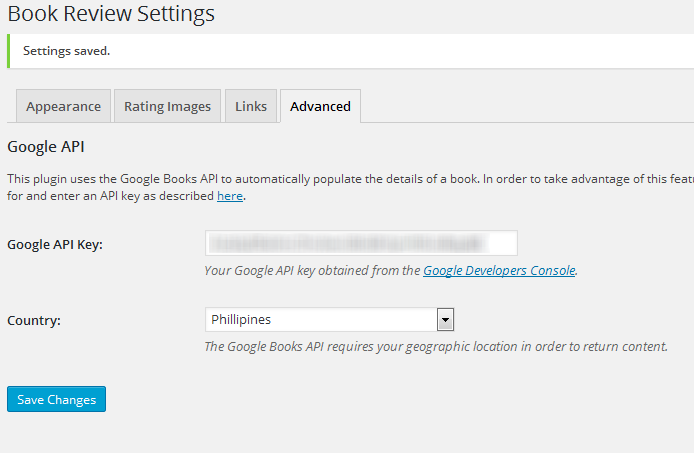
The Advanced tab requires that you acquire a Google API key for the plugin to work. The plugin uses Google Books to generate book data, so you have to enable Google’s Book API by creating a project using the Google Developers Console.
It’s not too difficult to do, and you should be able to follow the steps provided by the plugin’s documentation.
Getting a Google API key
First, you need to log in to the Developer Console. Use your Google account to log in.
Click the Create a project button. Give a name for your project and type it below Project Name. The Project ID will be auto-generated.

On the left panel, click on APIs. A list of APIs should appear on the opposite side. Type “Books API” on the search bar.
Click the link on the Books API and click the Enable API button on the next window.

On the left panel again, click on Credentials. Click the drop-down for Add Credentials and select API key.

On the pop-up box that appears, select Server key.
 In the next step, enter the IP address of your web hosting server. You can either check this under Shared IP address on the cPanel of your web host. You can also run the command prompt and type ping www.yourdomain.com. Take note of the IP address that appears. Fill this in the field as shown below.
 Click Create when done.
A pop-up should appear with your API key.
Back to the Book Review configuration page, enter the API key in the field under the Advanced tab.
How to add Book Details in your Blog posts
Once the settings are in place, it’s time to create posts. Below the WordPress post editor, you’ll find the Book Review section for entering book details.
If you want to automate getting the book information, you need to enter the ISBN. You can use a site like ISBN Search to search for the ISBN of a certain book by title or author.
Enter the ISBN in the field of the same label then click Get Book Info.

The other fields should be filled in.
Note from the developer:
- It is possible that a particular ISBN will not be found. This is a limitation of the robustness of the Google Books database and is not indicative of a problem with the WordPress Book Review Plugin.
- The Series and Format fields will remain blank unless manually entered. Google Books does not retu this information as part of its API.
The only other detail to manually add is the rating.
You can then add your review on the text editor itself and hit publish when done.
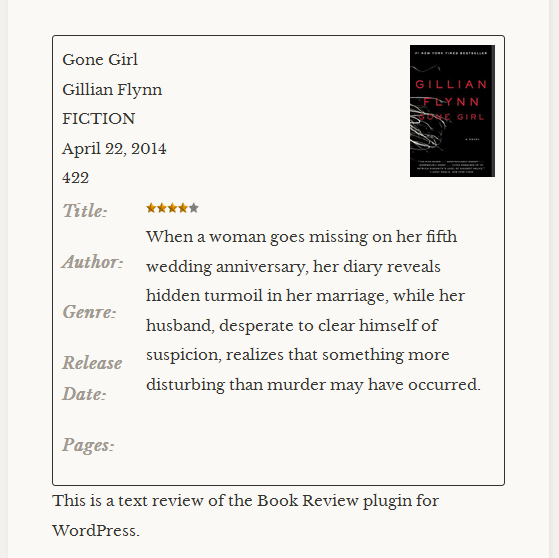
Here’s what a finished review would look like. The text outside the box will be the actual review content.
 Conclusion: Should you use book review plugin?
Despite the lengthy process, you need to take to automate getting book information, this plugin can save you more time once the one-time set-up is done. If you have a review site for books, then this plugin is great to have.
I would, however, not rely so much on the automation, as the developer did admit there are some books that might not be found using the ISBN search.
Either way, whether you enter book information manually or through search, the way it presents a book review when publishing the post is a welcome convenience. The design is quite nice and elegant, too.
Book Review is a plugin that needs a bit of elbow grease to start using, but the pay off of saving time on entering book information manually or formatting the post for every review is well worth the effort.
Are you ruing a book review blog? Do let us know what all WordPress plugins are you using?
Just for you, here are hand-picked WordPress plugins for you:
Subscribe on Youtube
برچسب:
نویسنده: استخدام کار

There is no doubt that having a professional email address like [email protected] is a necessary thing & if you don’t have it until now, you are missing out a lot.
You might say, it’s just an email address & how does it matter?
Let me tell you; your domain email address creates a lot of impressions & if you use a generic email address to send or receive email, you may not be taken seriously until you are already super popular. I have already talked about setting up domain email address earlier. If you haven’t done that until now, you can refer to below tutorial for the same.
Today, I will talk about Google Apps domain alias feature which will help you to save a lot of money for your team or in your organization where you have multiple domains.
What is Domain Alias & How it works?
One common mistake a lot of webmasters make regarding using domain email address is, they sign up for a new account for all their domain to get the professional email address & pay separately per user per year.
This is the most common practice among new entrepreneurs & webmasters as even though domain alias being an old technique is not well-known to many.
If you have multiple domains with the similar organization structure, by not using domain alias feature, you are:
- Paying extra for each domain email address.
- Making it hard to maintain so many email address
- Extra work to maintain domain Google Apps administrator account
Let me quickly explain domain alias feature so that you would know how it will save your domain email address management headache.
Let’s say you have a domain name Work.com & you have setup Google apps to manage your domain email address. You have created following two domain email address:
After a while, your business started growing & you added a new domain name call alias.com. Instead of buying another account from Google Apps or any other service, appsYou login to work.com GooApps dashboard & add alias.com as a domain alias.
By doing this, what you are achieving is:
Any email which is coming to [email protected] will automatically be directed to [email protected] In short, you are giving users multiple email identities at domains other than the primary domain.
This is handy when you have multiple domains & you want to have all of them their branding. This is how I use it here on ShoutMeLoud.
So, I have email address as [email protected], [email protected] & [email protected]
Whenever I start a new blog, let’s say: shoutmetech.com
I add it as a domain alias & instantly I have domain email address as
[email protected], [email protected] & [email protected]
With just 5 minutes of work.
Benefits of domain alias feature:
- You don’t have to manage a separate email address
- You don’t have to create new email addresses. All existing domain email address will have the same email addresses on new domain alias.
To add a new domain as a domain alias in Google Apps, you need to login to your Google Apps admin dashboard.

Click on domains & the next page click on Add/remove domain alias:

This is where everything starts as you need to do following things:
- Add a new domain as a domain alias
- Verify domain ownership
- Setup MX record

That’s it. Since you have already done creating a professional email address using Google apps, you must be aware of the whole process of domain verification & configure the MX record. You can again check out the tutorials using below link (Opens in new tab)
In the coming days, I will help you lea more about using & mastering your Google Apps account. If you haven’t setup Google Apps for your domain yet, you can sign up right away from the link given below.
Create domain email address on Google apps
Do let me know what else do you need to know about Google apps. Your queries & confusions. Selected questions will be featured & answered in upcoming posts in the Google Apps series.
Enjoyed leaing about Google Apps domain alias feature? Do share it with others on Facebook & Twitter. It might help your entrepreneur & blogger friend to save their hard eaed money.
Subscribe on Youtube
برچسب:
نویسنده: استخدام کار

However many bloggers take it as passion and they may differ from my above statement. But you all will agree that sky is the limit for blogging Income. No doubt it takes time to ea decent money from blogging. But once you start eaing money, don’t forget that a portion of your online income belongs to govement. Yes! you need to pay taxes.
In this articleI have presented the detailed information on Online Income and Taxes in India.
Before going to the list of various taxes you need to pay on your blogging income, let us understand the Indian tax structure.
Taxes are classified in two categories:
- Direct Taxes
- Indirect Taxes
Direct Taxes are taxes which are levied on persons for the income eaed or activities conducted; they are to be boe by person himself.
Examples are Income Tax, wealth Tax, Estate Tax, Property Tax etc.
Indirect Taxes are taxes levied on a product or services and which is bo by the consumers, while the immediate liability to pay the tax may fall upon another person such as manufacturer or service provider.
Examples are Service Tax, Excise Duty, Custom Duty, Central Sales Tax, Value Added Tax etc.
List of taxes applicable on blogging income. (India only)
Income Tax

It is goveed by Income Tax Act, 1961.
It is the direct tax levied on total income of a person eaed during the year from various heads of income.
As per Income Tax Act, 1961 the total income is classified in five heads of income as follows:
- Income from the head salaries
- Income from the Head House Property
- Income from the Head Profit and Gains of Business or profession
- Income from the head Capital Gains
- Income from the Other Sources
Blogging income is taxable under the head “Income from Profit and Gains of Business or Profession” as business cootes some activity which is carried on by devoting time, attention and labour of a person either himself or through others normally with a motive to make profits.
Suppose a bloggers eas a gross income of Rs. 20 Lac during the year 2014-15 and his total expenses relating to blogging amounts to Rs. 5 Lac, then the net income taxable under income tax is Rs. 15 Lac.
- This income will be grossed up with income from other four heads. So the income tax will be paid on total income.
- The tax rates under income tax differs based on categories of persons like for individuals there is slab rate, for companies & firms there is flat rate.
- Income Tax rates changes every year by Finance Act (Budget) of relevant year.
- Find here the Income tax rates for financial year 2014-15 & 2015-16. (Assessment Year 2015-16 & 2016-17)

The due date of filing of income tax retu (ITR) for company and any person other than company which are subject to audit under any law is 30th September of relevant assessment year. For other persons who are not subject to audit, the due date of filing ITR is 31st July of relevant assessment year.
For example the relevant assessment year for financial year 2014-15 is 2015-16. So the due date filing ITR of a company for financial year 2014-15 was 30th September 2015.
Please note that sometimes the above due dates are changed by income tax department by giving proper notification.
Service Tax

Service Tax is levied on blogging income at the rate of 14.5 %.
Service means any activity carried out by a person for another, for consideration and includes a declared service.
Service tax is levied on all services except the services mentioned in the negative list as per section 66D.
A blogger may have various types of income; service tax is levied on only that income which is in the nature of service.
Some important points relating to service tax are as follows:
- If the total receipts from services do not exceed Rs. 10 Lac, then a blogger can claim Small Scale Provider Exemption. There is no need for registration and payment of service tax for small scale service providers.
- If a blogger is selling goods online through his blog then the same will not be taxable under service tax.
- Service tax input can be claimed on service tax paid on input services used for providing blogging services. For example service tax paid on your inteet bills, which is used for providing blogging services can be set off against the service tax to be paid on service receipts.
- There is lot of views on taxability of Google Adsense income under service tax. According to my view, Google AdSense is an export service hence no service tax levied on this service.
- In case of Individual service tax is paid by 6th day of month following the quarter in which service is provided but for last quarter the due date is 31st march.
- In other cases the service tax is paid by 6th day of the month following the month in which service is provided but for march month the due date is 31st March.
- Service tax retu is filed half yearly by 25th day of month following the half year( 25th September and 25th April) .
Example: Suppose a blogger Receives Rs. 15 lac from various affiliates programs (income from affiliate program is like commission received) and Rs. 25 lacs from Google Adsense.
The blogger can claim small service provider exemption of Rs. 10 Lac (if the service receipt in the previous year does not exceeds Rs. 10 lac), export service exemption of Rs. 25 Lac (for adsense income) and for rest Rs. 5 Lac he will have to pay service tax.
Rs. (5 Lac/ 114.5 )*14.5 = Rs. 63,319/-
In the next year he caot claim small service provider exemption of Rs. 10 lac (since service receipt in the previous exceeds Rs. 10 lac)
NOTE: From 1st June 2016 onward the rate of service tax will be 15% by introduction of Krishi Kalyan Cess @0.5%.
Value Added Tax (VAT)
I personally know one blogger who has a blog on Indian Astrology. In addition to AdSense income, he also make money by online sale of Astrological products through his bog. So in addition to Income Tax & Service Tax, he is also registered with VAT Laws and pays Value Added Tax on regular basis.
So if as a blogger you are selling goods, you must be aware of some important aspects of VAT laws which I have presented here.
VAT is a multi point tax on value addition i.e increase in value and it is another form of sale tax. It is collected at different stages of sale with a provision for set-off for tax paid at previous stage. So a manufacturer, wholesaler & retailer pay tax on the value added by them in the product.
Example:
Suppose a wholesaler purchased goods for Rs. 25,000 and pays VAT @1% i.e Rs. 250 on it. Later he sold the goods for Rs, 35,000 and collects Rs. 350 as VAT @1% on it. So finally he will pay to the govement only Rs. 100 as VAT. In other words, we can say he only paid VAT @1% on value added i.e Rs.10,000 X 1% = Rs. 100.
VAT is applicable on sale of goods within a state in which seller is registered.
VAT is a state subject and it vary from state to state. Every state has its own list of taxable and exempted goods. For example if your business is registered in Delhi then you will have to follow DVAT provisions for sale of goods in that state.
It is common in every state’s VAT Laws that there is a minimum amount of sales tuover which is exempted from VAT. For example, in Delhi sales of goods up to Rs. 10 Lac are exempt from DVAT whereas in UP the limit is Rs. 5 Lac for UPVAT. It i also optional if your tuover does not exceed this minimum monetary limit.
The VAT retu/Payment in most of the states is filed & paid on monthly/quarterly basis. The rate of taxes can also be broadly categorized in four parts as listed below:
- Nil rate:These includes Exempted goods from unorganized sector, items which are legally barred from taxation, goods having social implications.
- 1% rate: Precious Stones, Bullion, Gold & Silver Oaments.
- 4% rate: It comprises of items of basic necessities, agricultural & industrial input, capital goods and declared goods.
- 12.50% rate: This includes the remaining commodities.
Please refer your state VAT laws for more information on it.
Central Sales Tax (CST)
As I mentioned under VAT regarding selling of goods by a blogger I would like to add that if the blogger is selling goods to the other states then he liable for CST.
CST is applicable on sale of goods in course of inter-State trade or commerce.
Central Sales Tax Act, 1956 gove the provisions of CST in India. Unlike VAT laws, CST is same all over India.
For example If Mr. A sales residing in Delhi and selling goods to Uttrakhand, then he will pay CST on such sales.
The rate of CST is 2 % or VAT rate of that state from where goods are sold, whichever is lower, only if sale is made to a registered dealer and form C is obtained by seller from purchaser.
Custom Act 1962

The blogger whom I mentioned above also sell Astrological goods to various parts of the world through his blog. When he approached me regarding the tax aspects of these transactions, I immediately asked him to get his Import Export Code (IEC) which is required as per Customs Laws. Custom Laws includes Customs Act, 1962 and Customs Tariff Act, 1975.
Custom Act, 1962 provides for levy of import and export duties of customs on goods imported into or exported from India through sea, air or land.
Customs Tariff Act 1975 has been enacted for classification of imported or exported goods. It also provides for various types of custom duties to be levied on importation and exportation of the goods.
So if a blogger is importing or exporting goods through his blog then he will have to comply with the provisions of Customs Act 1962.
I hope you all have got the basic understanding of Indian taxes applicable on online income. So Guys pay your taxes timely and file all your tax retus within due date. Please comment for any query on Online Income and Taxes in India.
Subscribe on Youtube
برچسب:
نویسنده: استخدام کار

The social media giant, Facebook, is making many better promotional ways for digital marketers. Facebook’s Business Pages, Ads, and Events help the online marketers with their business promotions and lead generation activities. Recently, one more extraordinary feature of Facebook, Facebook Live, was rolled out for better user interaction.
This feature is helpful for celebrity stars, and public figures. Looking into it, marketers can also leverage this beautiful feature for social media marketing. Initially, this feature was available only for iOS users in the U.S., but now it has reached out to many countries for both iOS as well as Android users. And very soon, it would be made available for users all across the globe. So, there is a great chance of using this feature effectively for marketers.
So let us see the Live feature and why marketers should use this.
What is Facebook Live?
Facebook Live is a feature that allows you to stream a live video on Facebook through your mobile gadget. This is just like apps such as Meerkat and Periscope. So if someone misses an event, you can make them watch it live.

To start your live stream, just go to your home page and go to the Status option. There you can find a Live Video icon. Just tap on it to start your live streaming. You can write a description of the event you are going to stream. So your audience can get to know what it is about.

What are the features of Facebook Live?
The live streaming can be done through a Facebook personal account or a Facebook page. Just like a status update, you can select who can watch it. You have options like the public, friends, or your specific groups only. You can select any of them.

You can get to know who are watching the video during the live streaming. The viewers can give Idea and hit likes to the video. You can also give replies to the Idea of your viewers.

Reactions are also available with this Live feature making your streaming fuier. The emotions of your viewers can be seen on the display, just for a short while during the live.
After the streaming is over, the video will be saved on your timeline just like any normal video. So, your friends and followers can watch it whenever they want to. Besides, you can share the video, embed it on other social platforms or websites or blogs.
Facebook is trying to make live filters for the live feature. So if they are available, you can make more fuy and beautiful video streaming on Facebook.
Why is it better than other apps?
There are some other apps like Periscope and Meerkat, which give you the live streaming feature. But the problem with Periscope and Meerkat is that your video can be seen by anyone who is following. There is no such choice of selecting your viewers. But on Facebook Live, you can choose your viewers among your friends and followers. So, you can create a network of your friends and family which is the primary goal of Facebook.

Unlike the other apps, the video would not disappear from your timeline on Facebook after 24 hours. So, you can use the video for your multiple purposes whenever you want.
One more important thing that you need not search for any other app to use this feature. You can simply use it on your Facebook homepage itself.
You can also broadcast any conferences, concerts or any event you are organizing. You can give prior notification about such broadcasts so that your audience can watch that. This way you can reach a maximum number of users and create a great engagement.

Moreover, Facebook is the biggest social media network with 1. 4 Billion users. Where else you can get such a big community where you can hang-out with your maximum targeted users.
Why should Marketers Leverage Facebook Live?
With the earlier features of Facebook like business pages and Ads, you might have created a huge fan base for your Facebook presence. Online presence of business needs continuous engagement with the users and need to build credibility. Live streaming is a better way to interact with your audience in real time.
A picture is worth a thousand words. But I would say, A video is worth a million words. Suppose, you read a document of a demo and watch a video of the same. Which one do you remember the most? Obviously, the one that you watched, right? Now, why is that?
It’s because the time to prepare a document or anything else is more than that of sharing it on a live video. You can convey your content better through a video indeed. This saves a lot of time and energy besides building a good relationship with the users.
Moreover, people are always interested in knowing something new. So, you can show them how you make a product in your industry. Also, they always want to interact with real people and want to know the facts. Live Video gives you a great chance to build credibility. This kind of stuff will easily go viral.
With no cuts and edits, live streaming shows what exactly the users want to know. Is there anything as genuine as a live video?
Conclusion:
Live streaming is the best way to share knowledge with social users, interact with the targeted community, building trust and most importantly showing the reality which users are looking for. It gives you a great chance where you can have a lively conversation with your users and get closer to them. And this is not confined to Facebook only. You can embed those videos on the other social media platforms as well.
Citing all its features and advantages, I can strongly suggest that marketers should use Facebook Live Streaming for enhancing their social media marketing.
Want to contribute the guest post at ShoutMeLoud? See our submission guidelines.
Subscribe on Youtube
برچسب:
نویسنده: استخدام کار

Each one of us experiences a low-phase at some point of time. We place the blame on our circumstances, health or emotional proclivities. The truth is that there is only one person accountable for such bouts of grief, boredom, or depression: YOU!
Whenever I ask depressed acquaintances about their low-phase, I receive mixed responses such as:
- They are sad/bored/depressed because that’s the natural response they should display to the particular situation.
- They feel low because nothing remarkable is happening in their lives.
- They are feeling down because their feelings are hurt, and feeling hurt is the obvious reaction after getting hurt, isn’t it?
- They just want to be left alone in their misery. The only logical conclusion being that they somehow want to feel low.

Melodramatic television, depressing music, unhealthy eating habits, and minimal exercise are directly linked to a person’s mood. The effects of these habits may not be clear immediately, but let them run for a course of time, and they will begin to affect your emotional stability.
Most of the readers of Harsh’s blog (or as he likes to call them – Shouters) are people looking for online marketing guides, blog development ideas, and motivation to do those tasks. I am here to offer a little motivation –
motivation to the folks trapped in emotions which directly affect their productivity and working attitude.
Without further introduction, let us go over the five primary and necessary tips you can use in your low moments. They are simple and executable. I will not boast about their effectiveness, you can experience the results yourself.
How to Uplift your mood when you are Depressed:
1) Be Sad
Now that might have come as a surprise. The task of emotions is to display what you feel.
If you are feeling happy, display it. If you are feeling low, display it. What you need to understand is that the more you suppress your emotional energy, the more different ways it will find to escape through your body. In order to prevent sudden fits of emotions, you should allow yourself to feel your feelings.

So what’s the point of finding a solution to this issue?
The point of this first tip is to bring to your attention that you should always time your sadness, like timing your daily routine or timing your moing jog. Allow yourself to feel sad, but only for a few minutes. That’s it. No more.
When you give control to your mind, it will automatically start throwing positive thoughts into your conscience.
For the first two or three times, it will not occur naturally, but soon, you will begin to see that the moment you tell yourself: “I’ve been low for too long. It’s time to kick ass”, your brain will push you into optimism. This will positively affect your productivity!
2) Movement
This is another simple trick to get you out of that horribly depressing state. This might also be the easiest trick for some of you. Movement or motion distracts the brain from trivial moodiness.
Whenever you are feeling lethargic, bored, sad, or low – simply start walking. This is especially beneficial for those who are at a stationary job or in a stationary home environment. Sitting in one place for too long can cause a hindrance in blood and oxygen circulation, which, in tu, disturbs hormonal chemistry in the brain leading to bad moods and irritability.

Start walking.
If you’re up to it, go for a run or do a few quick exercises which will increase your heart rate.
Soon, you will feel a positive difference in your situation.
3) Activity
When you feel low, distract yourself. This trick will be tougher to implement because when you are down, that is where you are: down.
You don’t want to do anything.
Do something anyway.
Just force yourself into an activity that you know will uplift you. Watch television, play a game, call a friend, read a book, listen to music, take a walk, do those damned crunches.
DO something!

However, indulge in uplifting activities. Most of us misunderstand this step. I will talk more about the misunderstandings in the last two tips.
Just remember to push yourself against the lethargy to break free from your state. This is an important trick to gain control of your raucous emotions.
4) Watch a Fuy Episode
You may have heard that depressed people use television as a distraction. Well, we are not talking exclusively about depression, but television can aid in boosting your happy hormones all the same.
Sadly, some of the most loved programmes on television (Indian Tele) are often melodramatic. Melodrama is pumped and pressed without restriction – right from soap operas to popular reality shows.
The key here is to uplift your mood, which can only be done by switching to a comic episode. Pick out your favourite series. Watch it for some time.
Allow Indravadan Sarabhai, Baey Stinson, Sheldon Cooper, and Joey Tribbiani to dilute your bitter thoughts. Laugh with them. Laughter will ease your tension. You will attain clarity!

5) Listen to Upbeat Music
There is nothing worse than listening to depressing music during low moments. Some years ago, a friend had advised that listening to Rohan Rathore’s Emptiness would be beneficial in a sad situation. Only a fool would believe that listening to sad songs when sad and angry songs when angry helps one move on.
According to a study published in Frontiers in Human Neuroscience, sad music is emotionally damaging in depressing conditions. Remember, our aim is to get OUT of the low phase, not sucked into one. That is what sad songs do – they keep us ruminating about our sadness without offering a way out.
Yes, you might feel lonely and use sad music as a harmonious buddy. But it’s a trap. Literally!
Instead, listen to upbeat music. Listen to tunes that make you want to dance, that make you want to move around. Such songs will immediately transport you into a trance (doing the TV’s work), they will make your brain shoot more happy hormones, and they will boost your morale.
Everything is well when the morale is well.


Closing Thoughts
It all boils down to what you want: do you want to take charge of your occasional storms, or do you want to be like the ones who indirectly say that they “like” to be sad? I hope these tips come in handy in your situation. You don’t have to follow them all. If you can, at the least, follow only one method and I can guarantee the results.
For further reading:
What do you have to say about these tips? Do you follow any of them? Do you think these methods will be any good for you? I am waiting for you in the Idea. Let’s share!
Subscribe on Youtube
برچسب:
نویسنده: استخدام کار

Reviews play a very important role in our everyday life. Whether we are buying a new WordPress theme, looking for a reliable hosting package, getting a new smartphone or even going to a restaurant, the first thing we do is to search for reviews. In most cases, our decisions are heavily influenced by the reviews we read.
Due to the high popularity, many people want to create their own review sites. If you are one of them, you have come to the right place. In today’s post, I will introduce you to the 10 best WordPress review themes and plugins for creating high-quality review sites. Let’s start with the best review themes first.
5 Best WordPress review themes to make a profitable review site:
1. REHub – Directory, Shop, Coupon, Affiliate Theme [$58]

REHub is a professionally designed WordPress theme for creating a review, magazine or blog sites. The theme is provided with 3 custom widgets and 15-page templates. As REHub is fully compatible with WooCommerce, Easy Digital Downloads and Ecwid Store, you can sell the products in your review site.
An interesting feature of the theme is its top list creator facility. By using this feature, you can create top offers, or create list of top posts. The enhanced ads options will be useful for eaing some extra money from your review site. You can display the comparison in three different styles. And the home page builder comes with 13 content blocks.
Lea more / Download2. Inreview [$69 All themes]

Developed by Elegant Themes, Inreview is a simple but feature-rich review theme. The large product slider on the home page could be useful to focus on some of the top-rated or most popular reviews of your site. Below, you can display the regular product reviews as grids and/or in the sidebar.
Each review has two rating points – one from the author and another from the users. The single product page has rating points for more fields. Besides the default fields, it is also possible to create custom fields according to the product type. The WPML-compatible theme also comes with multiple color schemes and affiliate integration. By joining Elegant Themes for $69 per year, you can enjoy access to all of their themes.
Lea more / Download Get Hosting3. Gauge: Multi-Purpose Review Theme [$58]

With a built-in review and rating system, Gauge is an excellent multi-purpose WordPress theme. As the fully responsive theme comes with Visual Composer plugin, you can create unique layouts for the pages of your review site. The theme allows the users to submit their reviews and ratings from the front-end by using the review form.
The AJAX-powered filtering option of the theme lets the visitor search for their desired content without reloading the page. In order to make your pages unique, you can add video backgrounds in the header section of your pages. The theme also supports WooCommerce, BuddyPress, bbPress and icon fonts.
Lea more / Download Demo4. Steam – Responsive Retina Review Magazine Theme [$58]

Featuring a unique design for the home page, Steam is another popular review theme for WordPress. The WooCommerce-compatible theme is provided with a powerful page builder system which lets you create dynamic pages with versatile content. The mega menu section on top allows you to include popular posts along with the links.
The fully automated like, view counts and customizable award icons and labels will help the visitors to find out the most popular posts. As Steam also supports BuddyPress, you can easily create a community for the regular users of your review site. The theme package also includes several custom widgets and 600+ Google Fonts.
Lea more / Download Demo5. Gonzo – Clean, Responsive WP Magazine [$48]

Gonzo is a simple, clean magazine WordPress theme with a fully featured rating system. Powered by Twitter Bootstrap, the theme works perfectly in all screen resolutions. It also makes sure that the visitors are getting the magazine feel even in their mobile devices. The flexible layout system of the plugin lets you create attractive pages within a short period of time.
The dynamic review system of Gonzo comes with both percentage and star rating support. You can choose to place the rating on top or bottom of the post. The review posts could also be categorized according to the product type. The theme lets you display ads in various locations of your site.
Lea more / Download DemoWell, these were some of the best review themes for WordPress. Now, let’s see which are the best plugins for developing a review site.
Best WordPress plugin to Develop Review sites
6. WP Review [Free]

WP Review is a premium quality WordPress review plugin which is available for free. The simple but powerful plugin lets you create review posts by following some easy steps. You can choose any of the star, percentage or point based rating system for your reviews. The WPMU-compatible plugin is provided with full support for Google rich snippet too.
The fully responsive review could be customized with unlimited colors. It is also possible to customize the review by applying custom CSS. Besides editing the default review fields, you can add additional fields. The lightweight plugin lets you add the reviews before or after the post content. It is also possible to display the review on the sidebar by using the dedicated shortcode.
Lea more / Download7. WP Customer Reviews [Free]

If you want a reliable method to receive review from your visitors, you should check out the WP Customer Reviews plugin. This unique plugin lets you create a dedicated page for getting reviews or testimonials from your customers. As the plugin is fully compatible with WP Multisite, you can get customer reviews in all the sites of your network.
The reviews and/or testimonials submitted by your customers will need admin approval before they are displayed in the website. The plugin also has multi-step anti-spam system to prevent spam reviews. The completely customizable plugin also comes with multiple shortcodes, custom field and hReview microformat support.
Lea more / Download8. Reviewer WordPress Plugin [$24]

Reviewer WordPress Plugin comes with a simple way of adding product reviews and/or comparison tables in your posts and pages. You can create review templates to use the same design in multiple places. The plugin also comes with 9 beautiful themes. You can use any of them or edit them according to your requirements.
The plugin supports several rating display system – standard stars, slider rating or criteria-based rating points. You can display the review and ratings by using the custom widgets too. It is possible to enable email notifications when a visitor submits reviews. The fully localized plugin is also provided with Google’s rich snippet support and a retina-ready layout. The plugin is priced at $24.
Lea more / Download9. Taqyeem – WordPress Review Plugin [$16]

Weird name! Huh?
Taqyeem is a professionally developed WordPress plugin for publishing beautiful rating and review posts. The flexible plugin lets you customize the font, color, image and other styles for each review. Besides the default review criteria, you can also add custom review criteria depending on the product and your requirement.
The RTL-supported plugin also comes with several custom widgets including recent reviews, best reviews and random review. As the plugin is provided with both the po and mo files, you can easily translate the plugin into other supported languages. There are also several add-ons available for extending the features of the plugin. You can get the plugin for $16.
Lea more / DownloadWhat’s your Choice?
As review sites are becoming an integral part of mode life, the necessary tools for creating these sites are also becoming more available. If you are plaing to create a review site anytime in the future, you can always get back to this list as a starting point.
Let me know which theme(s) and plugin(s) of this list have impressed you the most. And if you are using any of them already, don’t forget to share your experience with us by leaving a comment below.
Subscribe on Youtube
برچسب:
نویسنده: استخدام کار

As we know, heading tags are imperative for every web document to structure the content. By using Heading Tags, we differentiate our web page content. Use heading tags for headings only not for making Text Large or Bold.
Note: At the end of the article I have outlined 2 common heading tags mistakes by bloggers. Don’t miss reading it!
Definition of Heading Tags
Heading Tags are well-defined by W3Schools that:
<h1> to <h6> tags are used to define Heading on a web document.

“According to W3Schools – <h1> </h1> is the first heading which is critical for any web document and <h6></h6> is the least important heading that holds very less importance in a web document as compared to other heading tags. ”
Defined Heading Tags are:
<h1>some text here</h1>
<h2> some text here </h2>
<h3> some text here </h3>
<h4> some text here </h4>
<h5> some text here </h5>
<h6> some text here </h6>
h1 tag should be main headings which if followed by further h2, h3 and so on. The h1 is usually the boldest one whereas h6 font size is smallest.
Don’t get confuse yourself and stop thinking that Heading Tags as merely formatting for the web pages and Search Engines Heading Tags are for just categorization of content on web page.
Heading Tags come with various attributes to make user-friendly websites but Search Engines use these defined headings solely to index the structure and content of web documents including blog posts.
In other words, you can say that Heading Tags are used to show the web document structure.
How to use Heading Tags for SEO?
Apart from the web designing point of view, there are a few more things that you should know about Heading Tags.
– Purpose of using Heading Tags
The main purpose of categorizing your content with different headings so that your design become more user-friendly and people will get a notion about your website more easily by just reading the Sub-headings.
Now we know H1 tag is most important tag so whenever you going to use it for your webpage heading just try to make it like that people get an idea about your website just reading your heading. So that h1 tag should be in that way which describes everything about your web page just in one shot.
– Hierarchy
Hierarchy on your web page should be like <h1> comes first which is followed by <h2>, <h2> followed by <h3>, <h3> followed by <h4>, <h4> followed by <h5> and <h5> followed by <h6>. For better SEO of your web page, one should have to follow the hierarchy in this way.
– Headings Tags with Keywords
Keywords are first and foremost priority of any SEO Expert. In the matter, we first do the research of best keywords according to the web page and then categorize these keywords into focus keyword, primary keyword, secondary keyword and tertiary keyword. Focus Keyword is always one for the web page. It’s better to include your focus keyword into the title, Meta tags, and h1 of the webpage.
– Frequency of Using the Heading Tags especially h1 tag
It is recommended that one should have to use h1 tag per web page because h1 tag should be like a newspaper heading and other content should be structured with subheadings by following the hierarchy of heading tags. Using of subheadings depend on the way your content is structured.
H1 Tag In Latest HTML5
In the previous versions of HTML, only one H1 tag is allowed to designers to use per web document and what people do that time – they just used H1 tag to wrap the business logo on the web page which is important for any business web page and start the main heading of the web page with the H2 tag. But with the help of updated version of Html i.e. HTML5 which allows the designer to have multiple h1 tags on a web page according to the requirements of the web page design.
Ex: Single page websites.
Well, Heading tags are crucial for the proper On page SEO of your blog posts. One mistake which is common among newbie bloggers is excessive use of H2 or H3 tags & at times skipping H2 tags & only using H3 tags.
This kind of practice is not good & might hamper your On-page SEO score. To lea more about On-Page SEO, read this guide.
Do let me know your leaing & understanding about Heading tags for SEO. How do you use Heading tags & why?
Subscribe on Youtube
برچسب:
نویسنده: استخدام کار

It’s been long that we have talked about Twitter. Twitter being one of the top social networking sites, we can’t afford to use it for personal contact and marketing. Like any other network, it’s important to
Like any other network, it’s important to get more followers on Twitter, as this will make your tweets reachable to more people. Of course, we will be using Hashtag along to make it more reachable. Though, this post is not about making your tweet viral but in simple how you can grow your followers on Twitter.
There are many networks like Addmefast, which will let you do the follow-unfollow game. But our goal is not just to increase the number count but to get real people to follow you. This will ensure more interaction on your tweets and more re-tweets by the real human.
Big brands are using Twitter to keep monitoring what people are discussing about them, and they are responding to their tweets. If a user appreciates their service, they retweet and show appreciation to the user and similarly if a customer is shouting about bad service on Twitter, their Twitter rep will get in touch and will try to solve the issue. In fact, many brands are using Twitter as complete marketing and sales tuel, provided you are using it wisely.
Depending upon your strategy, you can use Twitter for marketing only, or you can use it to stay in touch with close pals. I usually, stay in touch with other bloggers via Twitter DM. I use Tweetdeck on the desktop, Socialoomph for sending automated direct message, Bufferapp for being less aoying and Twitter iOS app to tweet while traveling. Along with it, I make sure my favorite feed readers like Feedly, Flipboard, Pocket is linked with my Twitter account, so I keep tweeting interesting stuff. You can see my profile here @denharsh.
I’m not sure about you, but I still prefer to use Twitter and highly recommend every businesses and blogger to have their presence on Twitter. Twitter is not only about marketing, but it also helps in coecting with new people, keeping a track of person updates and spreading the word about your brand.
Simple tips to get more followers on Twitter:
These are some simple but most effective tips that you can utilize to increase Twitter follower count. As I keep saying, like the quality traffic you need quality followers everywhere. They should be the people who are in your niche, use your product or keep a keen interest in stuff you are offering and tweeting about.
Your Avatar & Cover picture

Yes, the word Avatar does make you remember that the film about the tall, blue aliens right? Anyway, you need to create or have a nice avatar for your Twitter account. Many of you think that uploading a picture to your Twitter account isn’t that much of a big deal. Believe it when I say that the picture you upload plays a very important role.
So, stop yourself from uploading a picture that doesn’t show your face. People on Twitter want to know what you look like, and that is why having a good picture of you can help a lot in making people know what you look like and who you are. If you are working for a brand, use your brand avatar as the Twitter profile picture. This will make your tweets noticeable from the huge cloud of tweets. Make sure; your avatar stands out from the long list of other profile avatars.
Read: 10 Websites to Create Custom Twitter background
Right time to Tweet
Another tip is to analyze your Twitter profile & find out the best time to tweet. There are many free & paid tools which scan your follower’s list & based on their activeness; it suggests you the most optimum time to send out a tweet.
For example, I have followers from around the globe but mostly my effective time to send a tweet is in Evening my time, as I have most of the followers from my country. If I tweet at the different time, my tweet doesn’t perform well, and I miss out on Traffic and retweets.
That is why I would recommend you to tweet at peak hours. Try tweeting when you know your friends or other people would be signed in on Twitter. These peak hours are different for different users, so, you’ll need to use the tools listed below to find the best time for your profileHere are some tools that will help you here:
The Profile Bio

Profile Bio is the first and most important thing to get more followers on Twitter. Your bio talks about who are you and what do you talk about on Twitter. So, unless you are someone very famous, it is a very important that you write a good bio of yourself. Be creative and intelligent when you write your bio as it will provide people and idea about yourself, and it will surely make them follow you. Try putting in a good quote that tells about you as a person. Remember, be creative! You can also link to your about page or a landing page, where Twitter users can lea more about you or your brand.
The @Messages game
Tweet with @mention. When you are tweeting from a reputable site, you can always use Twitter buttons in the page. This will make sure that tweet will get noticed by the website owner and in most of the cases, blog owners like to follow people who tweet or retweet them. If you happen to get a re-tweet by top influencers, it would mean that your tweet has been read by the thousands, etc. of followers which the top user has and people will be interested in knowing who you are.
If you happen to get a re-tweet by top influencers, it would mean that your tweet has been read by the thousands, etc. of followers which the top user has and people will be interested in knowing who you are.
Another tip, which you should keep in mind is given room for retweets. Twitter limit tweet length to 140 characters but try to send the tweet in 120 characters, as users can Retweet your tweet. You can use these tools to compress lengthy tweets. Though, better limit your tweet to 120 characters.
#WordPress Vs #Blogger : What Bloggers Think is The Best? https://t.co/8JAIwOPAJk pic.twitter.com/DF9gNrb3vK
— Harsh Agrawal (@denharsh) May 13, 2016
Bonus Tip: Always add an image with your tweets. It performs better than normal text-based tweet.
Ask Questions
Make people interested in re-tweeting you. Ask questions on your Twitter account and see whether people will try to answer them or if you get a response. Try asking questions about trending topics or hot topic in your niche. If you pick the right question, it can greatly increase the interaction on your profile.
If you are working on being a niche influencer, keep talking about latest happening in your niche. This will help you to get niche followers and moreover an active and a profile which interact (reply to all tweets & DM) is surely loved by others.
What to Tweet
Keep a decent mix of personal and professional updates. Talk about your brand, what are you doing, share interesting pictures and share links to top articles and from top blogs in your niche. The idea is to increasing interaction to your tweets, and people should not only retweet but quote it. Your tweet should be influential and credible enough, that people will come and love to retweet it. I, use Bufferapp, Pocket app, and Nuzzel to keep finding and sharing interesting and hottest topic in my niche and keep my Twitter profile updated.
You can follow any strategy which you are comfortable with, this includes sharing interesting quotes, pictures, talk about trending topic and so on, but the idea doesn’t let your Twitter profile die or keep it inactive. Remember, social media is all about interaction and communication.
Stick to Niche
Decide what you want to tweet about so that people can get an idea about what kind of user you are. Yes, tweeting about different things along with hashtag may get you more followers on Twitter. However, it is better that you have a specific audience in mind. If you think, you know about cooking, or painting or sports, etc., then start tweeting about that and become one of the leading Twitterer on that subject. Respond to what others ask you, and you will be getting followers on Twitter with ease.
For a business brand, you need to work on specific strategy and share content which will help you to get niche audience and also top niche users. You should talk about interesting thing related to your niche, for example, if you are an SEO expert or social media maven, you should not only tweet about your brand but also find the top content in your niche and share it.
Repeating yourself
Try tweeting yourself more than once. It can happen that not all people could read your tweets, and so it is a good idea that you send the interesting tweets again. However, don’t use this strategy too much, as people will not be interested in something which always repeats things he or she has already tweeted about.
Linking your Account

Another way to get more followers on twitter is by linking your Twitter account to your Facebook page, your blog, etc. You have to promote your Twitter account in every way.
Include your Twitter account information in your e-mail signatures. For Email signature, you can use service like Wisestamp and for the blog you can get official Twitter follow button from here. Also, if you are using Official twitter tweet button on your blog or webpages, you can enter your profile apart from brand Twitter profile and user will get that profile as suggested user to follow. Something, which works most of the time to get more followers to any specific profile.
Brands, can use this feature to grow the follower count of CEO or public figures of brand or a company.
Twitter Directories:
Listing yourself in Twitter directories, helps other users to find you. You can always your self in any particular category, as I often list myself under #WordPress #SEO and #Blogging category. This is not the most effective, but still it works to get targeted people and users. I don’t have list of directories for now, but you can find one such huge list here.
Follow other Top users in your niche:
Another tip is to keep an eye on updates from top twitter users in your list. Follow them and retweet when a tweet make sense to you. Before you retweet, always edit and add a quote to it to make your share more meaningful. Like I mentioned above, use Twitter directories, you can use the same to find top people in your niche. Here is an interesting article on 3 tools to find like minded people.
People often suggest that you should autofollow other followers but I would recommend to stop doing such things to get followers on Twitter, instead of just following random people, follow people who tweet meaningful stuff. You will be amazed to see how people will start trusting you by seeing your follow/follower ratio.
Well, these are certainly not the only tips but for anyone (Social media person or an individual Twitter user), these pointers will certainly help you to get more followers in time. There are many services that will let you buy twitter followers such as Fiverr.
Just to let you know, it doesn’t take a day or week to get thousands of genuine followers but it takes a complete strategic plaing, if your target audience is set to Twitter. I hope this tips will help you and if you have any other suggestion which worked for you, feel free to share. If you find this post useful, do share it on Twitter and join us at @ShoutMeLoud.
Subscribe on Youtube
برچسب:
نویسنده: استخدام کار

It’s no longer news that Facebook has launched the free basic inteet.org in 40 countries across Africa, the Middle East, Asia and Latin America partnering with Mobile Operators in to provide the Free Basics program. The Program is aimed at coecting people who hitherto do not have access to the inteet and as a Blogger or content producers, there’s goldmine yet untapped which will propel your Website/blog to a greater audience globally.
About Free Basic:
Free Basics by Facebook provides people with access to useful services on their mobile phones in markets where inteet access may be less affordable. The websites are available for free without data charges and include content on things like news, employment, health, education and local information. By introducing people to the benefits of the inteet through these websites, we hope to bring more people online and help improve their lives.
For list of countries where Free basics are available and partner, operators visit INTERNET.ORG by FACEBOOK. To coect to the inteet using Free Basics all you need to do is walk into a partner Mobile Operator shop in your native country to get a SIM card or if you’re already on the network visit Free Basics by FACEBOOK to get started today.
How do I benefit as a Content Producer?
Imagine getting your Blog audience from 0 to 100,000 in just one month, with little effort and not having to spend through your nose on advertising, traffic exchange software/programs or even the famed SEO tricks. Facebook is providing you a platform to reach millions of newbie inteet users through her inteet.org Free Basics Program. Now here’s how:
If you own a website/Blog you can join the Free Basics Platform by adding your app, website, or service to Free Basics, which provides people free access to a range of basic services in markets where inteet access may be less affordable and reach new-to-inteet users across Africa, Asia, and Latin America and make a social impact by adapting your mobile app or website for the Free Basics platform.
Anyone can add their website, Applications or services to Free Basics because it’s an open platform, but there are a set of participation guidelines to adhere to, this guideline exists to optimize for performance on older phones and slower networks coections in countries where the services are to be provided.
Benefits of adding your website to Facebook Free Basics:
- Grow your audience by providing affordable access to your services: Growing your services and reaching a new height and audience have never been this easy and here is an opportunity of a lifetime to key into the program now and watch your audience cum income sky-rocket in just a matter of days.
- Scale your social impact: As you well know by not that you can only underestimate the power and potentials of the social media at your peril. Fulfill your dreams of becoming a social media giant and become an authority in the social media space through the services you provide online.
- Establish your brand early in the fastest-growing mobile markets: With well over 1 billion people accessing the inteet each day with their mobiles device, you caot afford to lag behind in this era of the fast growing mobile market. Key in today and start raking in retus in no time.
What you need to know before considering submitting your Website to Free Basics:
Compatibility check
The goal of the Free Basics Platform is to provide people with a set of free basic services that will serve as an onramp to bringing them online. More people will want to coect to the inteet and ultimately become paying users if they first experience the benefits of being online. To do this effectively for people who are new to the inteet, it’s important to have content and services available that are useful and easy to use, to enable as many developers and entrepreneurs as possible to participate in Free Basics, and to offer services that encourage the exploration of the broader inteet. For your site compatibility for listing within Free, Basics see: Free basic guidelines.
This is some of the services not supported on Free Basics video files, VoIP, file transfers, and high-resolution photos (which will be truncated if larger than 1 MB). You can help your service pass this stage of review by limiting your service’s bandwidth usage.
How will I submit my Website/Blog to Free Basics:
Submitting your services to Free Basics is very easy, but you have been sure your Website/Blog does not rely on JavaScript (Get a working CSS script to ensure easy navigation), Build your service to be mobile compatible and Optimize for feature phones.
To begin, follow the step-by-step guide to preparing and submitting your service at FREE BASICS SUBMISSION

After Submitting, Facebook will review your entry, and if approved, your content will be live on Free Basics for millions of people to access world over.
Subscribe on Youtube
برچسب:
نویسنده: استخدام کار

Meeting new people could be awkward for some of us. While some of us bask in the glory of meeting new people, it is difficult for many people to get out there and make a first impression that has a positive impact with whom they’ve met.
Some people might be of the opinion that a person’s true motives and intentions couldn’t be figured out in the first meeting itself, but it does help to communicate your credibility non-verbally, through your body language. The way you present yourself in your first meet could make or break your long-term relationship with that person.
Once you’ve taken care of your personal hygiene and dressed for the part, next up is how you communicate non-verbally. Your body language communicates your confidence and credibility and this is something that could be easily developed through practice.
7 Body Language tricks to become Instantly likeable
Everyone wants people to genuinely like them since the moment they meet someone new. There are certain tricks of this trade to help you establish your credibility and a good first impression. Here are 7 of the best Body Language tricks to become more likeable.
Greet with your best Smile

A smile does work wonders during your initial meet. A genuine smile delivered properly signifies that you truly care for the person. As author Leil Lowndes writes in her book ‘How to talk to anyone‘, a slow and big, warm flood of smile adds more richness and depth to the way a person perceives you.
Also, do not flash your smile when the person is approaching you, but still a bit far away. Hold it till he is in your line of vision and then unleash your smile. This is one way to acknowledge that the greeting was sincere and especially for them, giving them a feeling of being important. A smile also between your conversation signifies your intent of paying attention to what they have to say and that you are agreeing with them.
Embrace the power of touch

Image credits: Wikihow
Gentle touches on the forearm or on the shoulder of the other person while greeting them is another way to impart your genuineness and a cordial approach. If you look at The meet of Bill Clinton and Nelson Mandela,
You will understand how importance a bit of touch plays in meeting and greeting a new person. Notice how in the video, Bill Clinton shakes hands with Nelson Mandela, while later placing his left hand over his forearm. A tap on the shoulder will also give away a feeling of warmth and friendliness.
This shows that your care is genuine and it breaks down the barriers of communication, letting you up and close with the person. The other person would also like you for your show of affection and genuine care for them, making you instantly likeable.
Keep your posture upright, not rigid

The secret to maintaining confidence while speaking is to have your spinal cord completely straight. A straight and firm back lets you articulate your thoughts properly and gives you further confidence while speaking to someone new. Just one thing to be taken care of while doing so is that you must not get too rigid or fixated. Try to keep your body loose and your back straight.
A Harvard study concluded that people who hold expansive poses and take up larger area exhibit better levels of confidence as compared to those who don’t. Never shrink yourself in or you would imparting a lack of confidence. Chest out, straight back and relaxed body is the sign of a confident person.
Pivot completely towards them

This is something that should be taken care of the most. In environments where multiple people meet and greet, your attention should be towards the one you want to make an impact upon. Once this person approaches you, try to completely pivot yourself towards that person and not just your face. Doing otherwise would convey a negative message that you don’t care much about the person and will only be conversing with him as a formality.
Give the person your undivided attention and completely tu towards them. To further improve it, try leaning just slightly towards that person giving an impression that you are eager to listen their thoughts. We only like people who respect us and show them that you truly care for them by being completely attentive.
Try and maintain eye contact throughout

This is another most important act of your initial conversation to impart confidence and credibility to your speech. Try to maintain eye contact with your target person throughout the time. If you ever need to break eye contact for some reason, do it slowly and not in a jerk, abruptly breaking contact with the person. You would seem more uninterested if you break away eye contact whenever permits.
Beware of rapid eye blinking and staring completely blank at a person throughout the conversation, you might come out as creepy. Take little breaks of eye contact while coming up with your answers and blink normally while maintaining eye contact with the other person.
Gesticulate when you speak

Image credits: Lifehacker
Not using articulated movement of arms and fingers while speaking is a bad way to communicate with someone. You will feel more rigid like a structure and come off completely insincere due to a lack of movement of your arms while talking. Gesticulation is completely normal and illustrates your enthusiasm and interest regarding the said topic. You must also try to show your thumbs in the front while talking, forming a teepee-like structure and not fold your hands while talking to someone.
Gesturing while talking also helps you in your thought process and establishes your credibility and interest in the topic. But care must be taken that you do not end up gesturing a lot, which will make them perceive you as an exaggerating lunatic.
Totally avoid fidgeting

Image credits: Lifehacker
Another important factor which sub-consciously everyone ends up doing during their first meet – Fidgeting. It just doesn’t get any worse than fidgeting when you meet someone for the first time. Fidgeting is a sign of nervousness and is often called into play to control nervousness by diverting it into another physical activity. For some it may be frequently bending of their knees, tapping of feet, fidgeting with fingers and anything as such.
All the above changes should be a part of your habit. It should be same as brushing your teeth, like you never consciously pay attention while brushing your teeth. All the mentioned steps are part of effective communication, and you should practice them with your friends, family & anywhere else. Do try it for few days, and you would notice how significantly people starts liking you.
Now since you know the trick, you should ensure not to use it to judge others. Rather, if somebody is Fidgeting or have his arms crossed (Which is a sign of closeness), you should take command & encourage other person to engage with you in the conversation. All the leaders use these body language tricks in their day to day activity, and this is one of many reasons we all like them. So why not use these tricks to improve ourselves?
So, what did you make of these Body language tricks for meeting someone for the first time and being likeable? Shout out your thoughts and Idea below.
Subscribe on Youtube
برچسب:
نویسنده: استخدام کار

As a blogger, your social media presence is essential to your success. Twitter is usually a primary choice for most of the bloggers and writers to share their work simply because it’s easy to use and is designed for speedy sharing and consumption. Everyone who is seeking exposure is on Twitter, and that includes bloggers like you and I.
The most common way to use Twitter to promote your blog is to post a link to your latest content and hope that you get more visits and retweets from your followers. This strategy is great for attracting new readers to your blog, but sometimes it’s not enough.
On average, there are 500 million tweets in a day, so your tweet has to grab a person’s attention just enough so he clicks on the link to your blog post. That’s not an easy feat.
To make your tweets stand out, you have to put more effort into what you’re actually tweeting.
Personalizing your tweets with highlight & share plugin:
However, those who end up reading your blog might want to share your content in a more specific maer. For example, a reader of your blog may want to quote a few words from your content and he wants to share that instead of a link to the entire article. It also works if you want to take a few quotes from your blog posts and share it on Twitter.
Luckily for WordPress sites, there is a plugin that allow highlighted text to be shared on Twitter. The plugin is called Highlight and Share.
Highlight and Share does exactly as it says — anyone viewing your website can highlight any text within your blog posts and share it on Twitter and Facebook.
Why share highlighted text?
You might be wondering why there is a need to share a quote from a blog post rather than just sharing a link. While regular Twitter updates for new blog posts is a solid way to get more readers, sharing a quote instead of a simple link makes the approach more personal, and gives readers an idea as to what your content is all about.
When audiences read a quote instead of a blog title, there is better chance that they will retweet it to their followers, hence more chances for increased blog traffic.
How to configure Highlight & share WordPress Plugin?
After installing the plugin, all you have to do is go to Settings>Highlight and Share and pick from a list of features. This is where you enable or disable some aspects of sharing. If you only want to use sharing for Twitter, you can uncheck the box for “Enable Facebook”.

Plugin Configuration options
- Type in your Twitter useame on the field specified. Do not include the @ sign.
- Click “Save Changes” when done configuring the settings.
- Go to your site and check if the plugin works. Highlight any text. You should see two share buttons for Twitter and Facebook, if you enabled both.
Here is an example from my test site:

- Upon clicking the Tweet button, a pop-up window should appear with the quote and link to the article ready for sharing on Twitter.

- The highlighted text will not show when clicking the Facebook share button. Sharing on Facebook only posts a link to the article itself.
Sharing an excerpt from your blog posts can be a great marketing tool for your blog. You hit two birds with one stone by getting someone to read your article and share it at the same time. Plugins like Highlight and Share make the job so much easier — and it’s straightforward and easy to lea.
It’s a good idea to try this plugin on your blog & see how your users are using it. For certain blogs like yours, it could do wonders. Before you add your comment, here are few more social media plugins for WordPress:
Have you tried a Twitter sharing plugin that worked wonders for your blog? Tell us in the Idea below!
Subscribe on Youtube
برچسب:
نویسنده: استخدام کار


This case study outlines the exact link building steps we took in order to increase traffic and subsequently take our clients e-commerce site from £0 to over £11,000+ per month in revenue.
The site is in the food niche and the profit margins are high.
You’ve probably read a lot about SEO and link building.
Whitehat, Blackhat, Greyhat, anchor text distribution yada yada.
Much of what you have read has most likely been conflicting, which may have left you a little confused as to the best way to get backlinks to your website.
The truth is there is no one size fits all strategy. Every industry and campaign is different and the way you go about obtaining backlinks should reflect this.
How Do I Find Out The Best Backlinking Strategy For My Industry?
The simple answer is to find out what your top ranked competitors are doing.
If you aren’t sure who your main competitors are, it’s probably a good time to find out.
A simple search for your main keywords in Google will provide you with the answer and from there you can start analysing the sites and find out exactly what they are up to.
Let’s take two examples in two very different niches, to confirm the point there really is no one size fits all link building strategy.
Niche Example 1
The games niche is huge, tens of thousands of terms, many huge search figures.
If we take the game Happy Wheels and do a quick search for some keywords we can see some decent search figures:

If we search “happy wheels unblocked” in Google we can see the search results dominated by Google, Weebly and Wix sub domain sites, which is interesting if you were looking for good niches to do some parasite SEO.

If we take the first standalone domain we can see US organic search figures at 11.8k (mobile) and 6.7k (desktop) – which is only a conservative monthly estimation of the traffic.


Although not that relevant to this case study, SEMRUSH also provides data on the top organic keywords bringing in the traffic to the site, which is useful information for the keyword research phase:

Either way the data reflects there is money to be made here.
The next step is to put the domain through Majestic or Ahrefs. I use Majestic, it’s just a matter of choice.
The overview reflects happy wheels related keywords would not be easy to rank for with a brand new domain:

The anchor text distribution is interesting:

31% for “happy wheels”, which probably contradicts a lot of what you have read and reiterates the point that every industry is different, including the amount of times you should use your main keyword as your anchor text in order to rank highly without getting penalised.
The backlinks to the site also contradict what could be described as “quality” “relevant” and within “Google’s guidelines”.
Spam blog Idea from a muslim related domain?!:

Sitewide links from several cloned websites, most likely some kind of PBN:

Analysis tells us blackhat techniques are most definitely working in this niche.
Niche Example 2
Let’s take our second example a food sub-niche and similar to our clients.
“organic food delivery” receives over 6,000 searches per month and will be highly lucrative:

If we run the site ranking number 1 in the UK for that term through Majestic the overview indicates a very strong domain:

The anchor text distribution looks a lot different from the happy wheels URL, indicating a far cleaner, more natural link building campaign:

Analysis of the links indicate relationship building, free give-aways and high end directory submission.
As you can see two very different methods to reaching the top in two very different niches.
If you are going to use any blackhat techniques on a client site, the only rule is they know exactly what you are doing, agree to it, are fully aware of the risks and you have a strategy in place in case things go wrong (which thankfully doesn’t happen often).
SEO Strategy Used That Helped Generate £11,000+ In Monthly Revenue
Organisation Discounts
Offering discounts to organisations is a great way to build links and also to generate some direct sales.
In terms of our clients site we were able to obtain several links from highly authoritative sites, including some .edu domains using this method:

It’s a pretty simple tactic in which you approach organisations which offer their members discounts and pitch your own discount on the products or services you sell.
It’s always best to target organisations whose members will likely be interested in your products.
To find opportunities you could enter the following search strings in Google:
“members discount”
“membership discounts”
“members discount directory”
site: edu “student discounts”
Further opportunities can be found by analysing the backlink profiles of the organisations already listed on the members page.
For example Waer Leisure Hotels are listed on Sagas membership discount page:

Analysing the backlink profile of their website, provides us with 398,683 backlinks from 1400 referring domains:

If we start working our way down the backlinks it doesn’t take long to find the first organisational discount link:

It’s from the English Indoor Bowling Association, an organisation which could be pitched to but also providing another list of companies we can analyse for further opportunities:

Free Giveaways In Exchange For A Review
I’ve read recently that Google are clamping down on this technique and that all backlinks provided should be no followed.
The truth is if every single link you work hard to obtain is no followed, you are going to rank for nothing.
Much like many things in life it’s about common sense and doing things in moderation.
Offering something free to influential bloggers in your niche, is a great way to get some promotion and build links.
While many companies have money to bu and can afford to send out free stuff worth hundreds of dollars to bloggers I would call anything but influential, I prefer to pick and choose.
Before making a commitment, you should check:
The strength of the domain – using Majestic or ahrefs
Organic search traffic estimation – using SEMRUSH
Social account follower numbers and engagement levels
To find opportunities you could use the following search strings in Google:
ProductName + intitle:review
ProductName + intitle:ratings
ProductName + intitle:comparison
ProductName + intitle:compare
ProductName + intitle:recommnded
Once you have found some good sites that have provided reviews, reverse engineer those websites to uncover further opportunities.
Sponsored Posts
Sponsored posts are much like guest posts, except you pay for the privilege of posting your content on someone elses site.
While in an ideal world we would have titled this section “Guest Post” and published our content for free, you will often find this isn’t a viable option for commercial businesses.
While many bloggers in the food niche, were more than happy to accept guest posts from their fellow bloggers, they were a bit more reluctant to allow us to publish our content without receiving some cash first!
Much like the free giveaway tactic, be prepared to do some analysis on the site you are thinking of publishing on.
To find opportunities you could enter the following search strings in Google using either “guest” or “sponsored”:
- keyword + “guest blog”
- keyword + “guest blogger”
- keyword + “guest article”
- Keyword + “guest post”
- Keyword + “guest author”
- Keyword + “write for me”
- Keyword + “become a contributor”
- Keyword + “contribute to this site”
- Keyword + inurl:contributions
- Keyword + “become a contributor” + inanchor:contact
- keyword + “contribute to this site + inanchor:contact
- keyword + “guest blog” + inanchor:contact
You can also find a list of blogs for guest posting over here.
We also found good opportunities on Twitter by searching for “keyword + sponsored post”

Backlinks from Directories
While many low quality, spammed directories got targeted by Google a few years ago and were de-indexed, directory link building is an easy and solid way to obtain quality links.
We prefer to submit to industry specific directories and also pay for the privilege, which normally costs between $20 – $100.
While a paid directory normally indicates it is going to be of a higher quality, we still check the metrics and also look for opportunities that represent a little more than a directory.
By that I mean you will see industry specific articles, information, images and videos on the site. Here are list of manually verified 131+ directories to submit your domain.
In order to find directories to submit your site to, you could enter the following search strings in Google:
- industry keyword + submit URL
- industry keyword + submit site
- industry keyword + directory
Tuing Brand Mentions Into Links
Tuing non-linked mentions of your business is an easy and effective way to obtain some links.
This link building method worked for us because our client was reasonably well known for the bricks and mortar side of the business.
It’s important to note that if you are a brand new e-commerce company it’s highly unlikely you will be able to find any mentions of your business.
In order to find mentions you could use BuzzSumo or Mention, both tools will provide you with notifications of when your brand is mentioned.
After you receive notification head over to the page, if you have already been provided with a link, your work is done, if there is no link visible then reach out with an email similar to this:

Hopefully, you found this guide useful and can use some of the techniques mentioned to build links to your own website.
The full case study, which includes sections on keyword research, email marketing, on page SEO and various other things we implemented can be found here.
Don’t keep the good stuff hidden from your friends. Do help us by sharing it on Facebook, Google plus or anywhere you like.
Subscribe on Youtube
برچسب:
نویسنده: استخدام کار

Management is that one thing every entrepreneur and startapreneur are expected to be good at. I am not sure how many businesses and startups consider management to be their business’s spine. But, personally I do and so should you.
Operating a business is not an easy task at all. Every business has their set of daunting dilemmas to be faced now and then, but with optimal management, every dilemma can be dealt with. Because in business no matter how random situations might appear there always should be a plan. And to execute those plans, you need to be good at management.
Understanding that management isn’t a single entity is crucial. One can only be good at management if he/ she knows how to plan and execute the same. Also, gauging essential elements and analysing situations and results play an essential role in managing things effectively. Sometimes you may have a set plan to execute over a course of time, but sometimes you just have to manage it to get it over the top of your head. This tests your mettle in management and in plaing things as per the scenario.
3 Fundamentals that would make you a better manager:
With few management lessons, you are all set to revive the elementary level after which the tides in the ocean of management will teach you the rest. Now, whenever doing anything consider yourself at the first place and start off with your self first, which calls for our first point:
Manage Yourself First

You are only qualified to manage your business and your team if you manage yourself first. To do this efficiently understand some simple facts that will help you manage yourself.
- Prepare your schedule: Make a habit to prepare your schedule. Involve yourself in certain activities that keep you motivated all day long; this can be getting up at 5 AM and hitting the gym or a self-defence class.
- Practice healthy diet: A lot many people have said. You are what you eat. As for you even I didn’t believe it unless I experienced it. For, e.g., instead of having lunch, prefer brunch. This will eliminate the possibilities of you feeling lethargic after consuming food.
- Create a task list: I know this thing is pretty old school, but undoubtedly this will help you in increasing you work efficiency, and also you will be able to remember all tasks all the time of the day. Once you have completed the work, just strike through, and I am sure you will be happy to see how soon the list ends.
- Time management : Refer the first point “Prepare you schedule”. Once done that allocate time to each of the tasks and try to accomplish it within time, every time. If you accomplish a work before time and you have 5 – 10 mins to spare, then prepare your mind for the next task. You can simply do this by start researching on the inteet.
- Arrive and depart at a time: Insure that you reach office at the time and leave office at the time, make it a habit. This is essential as you do have a life out of your office. It’s time you socialize, meet people spend some good time and collect some good contacts. Use after office hours for such activities, this will ensure that you stay at the top of you game all the time.
Manage Your Employees Proactively

When you start practicing the Pt.#1 yourself, you will notice the drastic change in you. This will aid you in managing your team proactively. Create a small plan for a week or a month, define what you intend to achieve with it, gather the team and get them involved in the plan, ask them to suggest. Finally, allocate them work according to their skill sets and preferences, also, employ writing scrum notes for the team members. This will keep a track and also keep you updated about who has accomplished what and what all is pending. Practicing this will ensure that you do not get jammed in the bottleneck and will also keep you well informed and prepared for facing worst case scenarios.
Manage the finances like a boss

When in business; financials is the one thing that needs to gove without any possibilities of a wreck. You sure do have the accounts department, but they do not have the authority of controlling the money. The control is in your hands, always has been. Plan your financials and when plaing financials always give priority to your employees, because in a way you are because of your team. Ensure their happiness and they will make sure that they keep you out of the harm’s way. Once done that then allocate the money to other distinct elements that you may have to cater to your business.
And the biggest fact is always look out for opportunities to make more money. The core should never deplete. If it does, it calls for anarchy.
Conclusion:
Not everyone is a good managerial material. But, when you are in the commanding position, people look up to you to manage and lead them. I know this is just the begiing and a lot more needs to be incorporated, but I believe this will give you a good read. In the next session, I surely will talk about sales, marketing, and other stuff.
Earlier post in this series:
Part 1: Do You Have The Eye Of An Entrepreneur?
Part 2: 8 Personal Checklist For Starting a Profitable Startup? [Part 2]
Part 3: This is the Most Critical Factor For Success Of Your Startup
Subscribe on Youtube
برچسب:
نویسنده: استخدام کار

This is the 3rd post in our Video marketing series. With this series, my goal is to help you make better videos with your smartphone or camera. Here are two earlier post in this series:
In the recent past, nothing has come closer to disruption of an Industry like the smartphone has done with the camera and video recorder industry. The camera that started out as an added mechanism in the smartphone has become a full-fledged device used by professionals all over the world to capture photos and to shoot videos.
Everybody knows building mobile applications is a lucrative opportunity and hardware creators have realized the same. They can build products that compliment the features of the smartphone and add immense value to the user at 1/3rd the cost. Let’s take a look at an exhaustive list of smartphone gadgets that will help people take video selfies.
Best iPhone Camera accessories for waabe video bloggers:
Even though many of these gadgets work perfectly fine with some of the popular Smartphone companies like Samsung, Lenovo, Gionee to name a few. But, I’m keeping this post more targeted towards iPhone users as I was making & researching about cool video accessories for my personal use. Also, if you are a GoPro users, you won’t be disappointed as many of the listed Camera accessories is compatible with GoPro too.
Today we look at cross-functional gadgets that help you take better videos in different scenarios. We cover a wide range of requirements and the gadget that can help you in that situation.
Ollo Clip
The makes of the Ollo Clip are one of the leading lens manufacturers for the iPhone camera that gives you a DSLResque experience to your iPhone. The Ollo Clip is an attachable device which you can fix on top of your iPhone camera lens with the help of a special phone case. The Ollo Clip has multiple variants that help you with different options for videography. There are lenses which support wide angle shots, some which support macro zoom which goes all the way up to 21x. Depending on the nature of your videos you could choose the right kind of Ollo Clip. There is even a version for taking selfies or velfies which is pretty neat.


To Summarize the Ollo Clip is one of the best smartphone gadgets out there for taking brilliant photos and videos which give a much better experience than the iPhone camera. This kind of a device is also great for portability because of it’s relatively small size and removable lens cap
Ollo Clip official Site || Ollo Clip on Amazon
Special Mention :
Moment Lens is another company which makes similar lenses for the iPhone.
iographer


We move on to a professional equipment company called the iographer. The iographer is an iPhone and iPad filmmaking case. This is not a case for your phone for protecting it, but a case for filmmaking that you take out to shoots. The iOgrapher is a multi-compatible device with provisions for fixing a tripod, a lens and other equipment like lighting and sound. You can carry this one single case in and have all the options of filmmaking like light, sound, and stability in one place. It’s portable enough that you can carry it in your bag. There are iographer cases even for the iPad as well. This kind of a device is a great investment for a filmmaking student or a video blogger who needs a serious equipment for a professional setting. If you Consider the provisions for other devices that can be attached to the iographer, then it makes this a thorough and professional video creating device for the iPhone.
Official Site of iOgrapher || iOgrapher on Amazon
Mega Tiny – Anti-Gravity Phone Case

If you are a new to taking videos on your smartphone and want to start somewhere, the first thing that you will probably purchase is a tripod stand. What if you could get something with a similar functionality, that had other uses as well? Meet Mega Tiny’s anti-gravity case. This case is fit with nano-suction technology that you could stick it up against any surface and shoot your videos.
If you don’t have a tripod and you want to place a video of you walking and talking in front of the camera at a particular height, all you have to do is, stick it against the wall and you have your wall mounted camera ready.
Mega tiny Corp Official Site || Mega Tiny Corp on Amazon
Joby Tripod Stand ( $39.95)
The tripod is a great device for filming steady shots and has been the coer stone of every videographer’s great camera skills. The tripod though has evolved and the tripods these days have to be cross-functional. A tripod just doing a tripod’s job is too conventional and can be bulky. The Joby Tripod stand is a perfect example of a multi functional tripod stand that can be adjusted to suit multiple situations. The Griptight Gorillapod hybrid is one of the finest tripods we’ve seen. We’ll show you the power of this tripod through pictures.
In the first image you can see a simple tripod stand

And in the second image you can see the tripod stand in a different shape to suit the environment!

Joby official site || Joby On Amazon
Optrix Sports Case ($62.14)
Everybody has seen the Go pro camera and it is a great device for outdoorsy folk who like some action. The problem with devices in this world are, there are too many devices. The use case for a Go pro is also limited. What would you do if you want to take videos in rugged environments that mimic a Go pro’s experience without having to buy one? The answer is the Optrix sports case. It’s a case created for the iPhone with an extra layer of protection for your phone and can be mounted on your helmet, exactly like a Go pro. This way your iPhone can become a video recorder in a rugged environment as well. Body Glove, the company behing Optrix have also created a water proof case for underwater shots. There is truly no limit to what you can shoot with your iPhone with gadgets like this.

Here is a hands on video of Optrix sports case:
Official Optrix site || Optrix store on Amazon
Shuttr Muku Labs ($38.22)
This is a nifty device that automates the process of taking a video shooting a picture. The Shuttr from Muku Labs is a blue tooth controlled device with which you can take a picture or shoot a video on your iPhone from 30 feet away. Think of it as a remote control for activating your phone’s camera or video. This is really good for movie videos or a documentary you want to shoot while you are moving and while you are shooting alone.

Mukulabs official site || MuKu Labs on Amazon
Manfrotto Pixi ($24.85)
This is another case of a multi-functional tripod stand. Manfrotto is a pretty popular company when it comes to tripods. The Pixi works as a Tripod stand mixed with a video grip for taking moving shots without a lot of shakiness. So the tip here is to get functional tripod stands based on your requirement because a lot of them are multi-functional. The Pixi also has a push button option to tilt the head of the tripod in any angle, this helps to camera shots in a particular angle without having to position yourself differently.

Here is a pretty cool review by Paul that might make you grab this little beast right away:
X shot Sport pole Selfie Stick
A collection of iPhone video gadgets is not complete without the selfie stick. The Selfie stick that we cover today is the Xshot Sport Pole selfie stick. The Xshot sport is a water proof and an extremely sturdy selfie stick. If you are getting a selfie stick, it might as well be on that can last you for long and in different conditions. It’s very long compared to many of it’s competitors and does its job well. For the GoPro users, it alo supports GoPro.

Xshot official site || xShot official site
MCAM
The MCAM is another case with an attached lens that helps in zooming in and for shooting in wide angles. The speciality the MCAM has it’s the function based features. They have a filmmakers pack, then a joualists pack which gets you the perfect equipment for your situation.


mCam on Amazon || MCAM official site
Klyp+
As promised, we finish with Manfrotto’s Klyp+. The Klyp is another case based iPhone video and photo gadget. This gadget is so small and has provisions for all kinds of features that is requires a special mention. The Klyp is not as big as the iOgrapher and is easily portable and it works with the Pixi tripod seamlessly because they are made from the same company. The Klyp also has a provision for a light to throw on objects which creates an ultimate shooting scenario for the videographer. It also has a lens that can be attached to the iPhone’s default lens.

KlyP+ official site || Klyp App+ on Apple store
This post has been an eye-opener for me in the terms of products and the way technology is shaping. With devices such as the iPhone which have strong fundamentals mean one thing, they are good enough to replace independent devices such as cameras albeit in the start of a videographer’s career. Instead of having multiple devices like a Go Pro and a video camera, all a person needs is multiple cases that they can get at 1/3rd the cost. This way they do not have electronic items lying around in the house that are not being used. I hope this post has given you the idea of the gadgets that can be used for making videos with the iPhone!
Now got shoot! ?
Here are few hand-picked posts for video bloggers:
Have I missed something? What other gadgets do you use specifically that helps you with your shooting?
Subscribe on Youtube
برچسب:
نویسنده: استخدام کار

So you’re wondering why your blog refuses to grow after putting so much time and effort into it. You’ve implemented all the things you leat from other blogs in order to build a very successful blog yet there’s no sign of growth while other blogs that were built after yours are speedily picking up and getting lots of exposure and mentions.
Does it mean that those other bloggers that are becoming famous are smarter, luckier or more intelligent than you are? Or maybe you’ve concluded that blogging is not meant for you after all? Well, that is not the problem. The problem is that there are few things they’re doing which you are not.
In this case, giving up usually looks like the best option but I urge you not to even think of that at all instead, give me some minutes and I will show you exactly why you’re not moving forward with your blogs.
After reading this post, you’ll see the exact things that separate the pro/successful bloggers from other bloggers that struggle to build their blog all to no avail ,so… let’s do this.
Top Secrets of Successful Bloggers (Don’t tell mama)
After carrying out my research, below are the things that I found out that are synonymous to every successful blogger out there.
1.They have a good Plan, Strategy and Schedule
Blogs don’t become successful by accident; as a result, it usually makes many people to fail at it. They believe in the “fake it till you make it” philosophy and by doing it that way, your failure become inevitable.
Successful bloggers understand that no good business survives without adequate and workable plans and strategies. They don’t just blog for the sake of blogging or because every other person is doing it. Before they even launch their blog, they already know the necessary things they need to be doing in other to ensure the success of the blog and once they’ve mapped out their plans, they follow it diligently not allowing anything else to deviate them from that plan.
As a blogger, you don’t just publish articles because you feel like or because you know that you should publish, NO!
Every article that you publish must have a goal. The first goal is to add value into your life & someone’s life with the message you delivering. After that, either you want to use it to attract more social shares, get some solid backlinks, coect with influencers, build your email list etc… According to Social Media Examiner, People who “wing it” (i.e. blogging without a plan) when they blog are only setting themselves up for failure.
If you truly desire to imitate these pro bloggers in order to also take your blog to the next height, then, you must also be willing and able to lea and practice what they’re doing. One of the things I’ve leat about them over the years is that they all have an editorial calendar and have publishing schedule that guides them on what and when to publish on their blogs. But a majority of bloggers out there don’t even know what an editorial calendar is and what it is used for, let alone, actually knowing how to use one. Do not be one of these bloggers.
There are so many benefits that come to having a good editorial calendar and posting schedule including but not limited to: It helps in your blogs SEO, builds anticipation in the minds of your audience and totally gets rid of writer’s block that we often encounter at one point in time.
Not having a schedule is dangerous and can ruin your blog if not corrected immediately. Brian Harris of video fruits stated in his 2015 review post that not having a content plaing and continuity for his blog last year was one of the things that didn’t go well in his business.

Hence, he went ahead and created his own content marketing editorial calendar as you can see below.

So, I really urge you to go create your editorial calendar now if you haven’t done so because you can’t possibly succeed without it.
2. They Constantly Create Great and Compelling Contents
A lot has already been said about the benefits of creating great contents for your readers and I had to also include it here because of its importance.
You see, pro bloggers don’t just write and publish any type of content on their blog hoping that magic will happen and it end up creating a buzz!
That’s not true!
They always take their time to research and make sure that what they’re creating is needed and will be well received. Every content they publish have a goal behind it, they have an idea of what they want that content to achieve for them, and finally, they will make every effort to make sure that aim is met. If you really want to speedup the growth of your blog like the pros do every time then, you should start by leaing how to publish the right contents. You might be confused on what exactly is the right content here, let’s look at Brian Dean’s definition…

As you can see from Brian’s definition of Right Content, any piece of content you publish on your blog must be able to achieve any of (if not all) the qualities above, that will make your contents very successful and rewarding.
When writing your posts, it needs to be very actionable and backed up with good data where necessary, this will not only make it more authoritative but, it will also enable you to be creating long form contents that your audience will find very valuable and educating. According to a report by Curata, long form content generates 9X more leads than short contents.

It’s true that everyone has his own opinion on how long an article should be but at the end, longer is much better. This is true because statistics has shown that “If a post is greater than 1500 words, on average, it gets 68.1% more tweets and 22.6% more Facebook likes”.
By writing long form contents, it will also benefit you more due to the fact that, on average, only 18% of companies produce articles that are longer than 750 words, this will put you ahead of others because your own blog posts will also have more value.
People will be happy to read, link to and also share it with their fans because they like it. You also need to know that 94% of people who share contents on the inteet do so because they think it will be helpful to others according to a research by New York Times.
Furthermore, successful bloggers know exactly the things that make articles go viral. Are you a successful blogger? You should understand this. Leae advices that you write with empathy, this will make your audience see it as if you’re speaking to them directly, it will also make them to understand that you’ve also gone through what they’re currently experiencing and this is a no brainer.
Understanding what makes up a viral blog post is very crucial to your blogs growth and this should not be neglected.
Two Upe professors recently carried out a research named “What Makes Contents Go Viral”. They analysed contents that were published over a three-month period to find out the factors that contributed to their higher sharing and here’s their discovery

Remember; don’t fill your blog post with irrelevant words if they don’t fit into the article. If what you’re writing caot fit into 1500+ words then, cut it down. It will be very time wasting to write a 2000 words article on a topic that’s supposed to be 500 words just because you’re aiming for a long form article. Relevancy matters as well as quality, therefore, don’t aim for quantity alone; consider relevancy and quality.
Also, while writing your contents, don’t try to use fancy words or slangs if they are not necessary, instead, write in simple and conversational tone. Write as if you’re discussing or writing to your friend, better still, write like you talk as this article suggests.
It’s also important that you lea how to incorporate storytelling to your posts; this will make it more engaging and fun to read especially on your post opening. Maybe the graph below by buffer app will drive my point home.

As you can see, incorporating relevant stories to your posts is very important and that is also what you should start mastering. Check out what Buffer has to say about it too…

Finally, you also need to be using images on your posts as often as possible and where necessary. It has also been proven that articles with images get 96% more views than those without. It has been said a countless number of times that an image is worth a thousand words and that is very correct. Most people prefer visual contents to text contents and that has been proven by the fact that our brain processes visuals 60,000 times faster compared to text.
Check out this post to lea more on how to use images on your blog posts.
3. Pro Bloggers Know how to Craft Magnetic Headlines
Your headline is a very important aspect of your content marketing. According to some of the best copywriters of all time, you should spend half of the entire time it takes to write a piece of persuasive post on the headline.
Brian Clack also discovered that 8 out of 10 people that visit your article will read the headline but only 2 out of 10 will read the rest. This is why your headline needs to be as inviting and compelling as possible because it will eventually determine if the post will be read or not. You can actually create a great post that will provide a lot of values and benefits to your readers but if your headline is not enticing enough, the post will not be able to get the attention it deserves.
However, writing a great headline does not guarantee the success of your blog post, the benefits covered on the headline also has to be properly satisfied at all means, else, your article is doomed to fail. There are no two ways about it.
So how do you write a great headline?
According to the copywriting trainers at the American Writers and Artists, there are four ‘U’ approaches to writing good headlines and they include…
Headlines, Subheads and Bullet points should:
- Be USEFUL to the reader,
- Provide him with a sense of URGENCY,
- Give the idea that the main benefit is somehow UNIQUE, and
- Do all the above in ULTRA-SPECIFIC way.
If your headline includes all of the above FOUR U’s then, there is every opportunity of it performing very well.
In the same maer, Clayton Makepeace suggested that you ask yourself the following six questions before you start to write your headline:

With Clayton’s six questions combined with the 4 U’s that a headline should have, you already have the right template to always craft irresistible and outstanding headlines.
You should consider keeping a swipe file of some of the best headlines you see. Then see how you can emulate the strategies used by your favorite headlines into your own blog posts.
You might also do what Upworthy does, and write 25 headlines for each of your post, this will enable you to have so many variations of headlines for that post which will help you to choose the right one. You should also use the Coschedule Headline Analyzer to check and see how good a headline is each time.
Emotional Headlines Performs Well (Here’s a Proof)
The guys at Coschedule and Okdork wanted to see if there is an easy way to rate a headline and predict if it will be a well shared post or not and in order to achieve this, they started testing some of the most well shared headlines on the inteet using an awesome tool by the Advanced Marketing Institute called “Emotional Marketing Value Headline Analyzer”.
This handy tool promises to let you know how emotional your headline is by counting the number of emotional words that are used in the phrase.

The tool is very easy to use. Just copy and paste your headline in the space provided and click on submit For Analysis and it will calculate and give you the EMV score of your headline. Here’s the result of the headline of a post I got from Enchanting Marketing by Heeke titled: How to Write Conversational Content and Make Your Readers Deliriously Happy

And below is the headline score for this post:

So the question that the guys at Coschedule and Okdork are asking is; does this really work as a way to predict popularity? To find out, they took an average sampling of headlines from three sharing groups.
- Posts with greater than 1,000 shares
- Posts with 500 shares
- Posts with 100 shares
And below is the result:

Now as you can see from the image above, posts with a high number of shares constantly reached an EMV score of 30 or 40, several points higher than posts with fewer shares. And the conclusion is that posts with emotional headlines get more shares. So, this is why you really have to work on using emotional words on your headline. You can check out Jon Morrows guide on using Power Words.
Finally, According to Koechley, tests show that traffic to content at Upworthy can vary by as much as 500% simply because of the headline, therefore, you need to make adequate use of it, else, you will be losing your readers and potential clients. You might want to check out this free guide by Brian Clack to lea how to create magnetic headlines that will open doors for you.
4. Pro Bloggers are Consistent with Content Marketing
The problem with most content marketers is that they’re usually not consistent and this is because they don’t have patience. Content marketing does not always bring a fast result; you have to stick longer to it in order for it to pay out.
A recent research by Altimeter showed that 70% of marketers lack a consistent or integrated content strategy. If you really want to become a very successful blogger then you have to do what you need to do and one of such things is to get really serious with content marketing because you caot possibly survive without it as a blogger.
I understand that writing can be very tedious sometimes especially as a starter but with constant practice, you will certainly get used to it. Ana Hoffman of Traffic Generation Case stated that “Once you write 24-51 posts, your blog traffic jumps by up to 30%” so, why not try this and see the impact it will create on your blog? To drive more of my point home, check out this stats by Impact branding and design……

Be mindful, I’m not just talking of any type of content here, if you must succeed with content marketing then your contents need to be of higher quality, you need to be constantly chuing out epic contents that will be even better than others of its kind, if not, your content marketing efforts will only be a total waste of time. It might interest you to know that 69% of content marketing lacks quality so, if you’re anything like me, you will want to be among the remaining 31% that writes quality contents.
According to Neil Patel, More and more companies are taking the content marketing plunge. It’s growing so fast that 77% of companies increased their content production in 2015.
Be cautious, content marketing here does not only mean text-based contents, you also need to be using other forms of content marketing like videos, webinars, podcasting and info-graphics depending on your budget. Remember that YouTube has become the second largest search engine on the inteet, much bigger than the likes of AOL, Bing, Yahoo, etc… so, if you’re not yet part of the network then you’re actually giving up on your chance of being discovered by the new audience as well as potential clients.
A lot of people have already made millions of dollars from YouTube and there are so many ways through which you can also tap on this goldmine as a blogger depending on your niche. For example, how to video has proven to be always well received on YouTube and if you can make good videos on how to solve some of the most difficult tasks on your niche, it will eventually give you more audience and traffic.
Two-thirds of marketers and agency executives believe that original digital video will become as important as original TV programming within the next three years.
If you’re wondering how to get around YouTube marketing, there are already lots of good guides on the inteet that can teach you this. Check out the ones below.
- The marketing value of YouTube by Phil Nottingham
- How you can use YouTube to drive additional traffic towards your blog by Social Media Examiner
It’s also advisable that you understand who your target audience is while carrying out your content marketing campaign. You need to know the people you’re writing for:
Are they male or female?
What are they struggling with?
What do they like doing in their spare time?
Knowing all these will enable you to ensure that you’re really meeting them at the point of their needs and they will end up liking and trusting you for that. Take a look at the graphic below from the Neil Patel blog:

If you want to achieve your business goals then, you need to constantly write contents that resonate with your target audience. You need to talk to them using the language they understand the most.
Content marketing is a very integral part of blogging, they work hand in hand and one caot function well without the other, therefore, you need to get used to it. You need to determine your own content publishing frequency. A recent statistic by Curata found out that 91% of the best business bloggers publish weekly or more often while only 70% of all other bloggers post at this frequency.
5. Pro Bloggers Always Use the Right Tools
Just like every other thing in life, you can’t possibly succeed at blogging without having and using the right blogging tools. Ask any successful blogger you already know and you will find out that he makes use of the best tools from day one. Starting from your web host, you need to ensure that you choose the best out there because this will ultimately determine if you’ll be on the market for long or not.
I’ve seen lots of bloggers whose blogs were liquidated by their web hosts. I’m sure you understand the feeling when you put in so much time and efforts into building out your site only for it to get after some time because of the unsecured and cheap web host you used.
If you’re really serious about blogging for business then, the first step is to ensure that you make use of a good and secured hosting company. Here’s one recommended , by official WordPress.org for hosting WordPress blogs.
While it’s good to start with a shared hosting plan, if you have the budget and plan to build your blog into an authority in your chosen niche, I will recommend you go with your own server. It will be well worth the investment at the end.
One thing you must always bear in mind is that none of the successful bloggers out there became successful by chance, it took a deliberate action and making use of the best tools before they arrived at where they are today.
If at any point in time, you ever felt that you can’t possibly attend to every task on your list as a blogger because of lack of time then, maybe you just need the right tools. These tools can be a time saver for you, also, it can ultimately cut down the time required to research your market and competitors.
Blogging tools are very necessary these days in order to work faster and possibly land more clients and readers without compromising content quality. Setting some of these tools up can sometimes be very confusing but the best part is that once you’ve successfully incorporated the right tools to your blogging business, you will have less to worry about and you can even travel to any part of the world while your business will still be in a good shape.
However, without using time saving blogging tools like this, you will be wasting a lot of time in every task ranging from creating contents and even promoting it.
Talk of any blogging task out there and you will definitely see a good tool that can make it easier for you. For instance, Email marketing, social media marketing, content writing and promotion, analytics and split testing, shopping carts, etc… And the best part is that most of these tools are free to use. You just need to figure out exactly what you want then, carry out a little research on the best tools for it and boom!…you will be amazed at what you will see.
Any serious blogger needs the ability to save time and get more jobs done in order to become successful. You can only do it on your own manually for a short period of time but the truth is that you caot achieve any significant result without the help of these tools. So you need to decide what you really want.
6. Pro Bloggers Make Motivation Their Habit
Being successful might not be so easy for everyone but I think that the first step towards succeeding at whatever you’re doing (blogging included) is to first have the motivation to be successful.
You need to have the desire to succeed and once you’ve achieved this, the next step will now be to figure out the various disciplines which will best help you to make progress and achieve your end goal and then bu all the bridges to ensure that nothing stops you from getting exactly what you want.
Check out what my friend Glen from Viper Chill has to say about this in his recent post titled: How to Make Money Online in 2016: An Unexpected Approach (I’ll suggest you go read this post later).

I’ve seen lots of bloggers that gave up after a few months of starting their blogs simply because they had nothing to show for it, they’ve spent lots of time, their money and efforts to see if they can make it via blogging but at the end, it didn’t work and so…..they quit.
The truth is that quitting always seems to be the best way out but it’s not. You will only quit if you’re not very committed to your goal and do not even know your ‘why’ in the first place. You need to, first and foremost, determine why you’re blogging and if you get it right, that feeling alone will always carry you through whenever you feel that things are not moving well.
Yes, no one told you that the road will be rosy and if anyone ever told you that, then he lied, yet it’s not a rocket science either. Many people have passed through that same road and if you’re motivated enough, you will also pass through it someday, it might only take some time but at the end, it will certainly come to pass.
All is required of you is to always find ways to motivate yourself just as Glen did with the picture below which he hung on his wall.

As you can see, Glen uses these pictures to always keep himself motivated and each time he starts feeling down and out, he simply takes a quick glance at them and he will get back on track. Now, I know that this approach might not really work for everyone but why don’t you just give it a try and see if it will work out for you or not?
He also uses another great method which I haven’t heard of. Glen wrote a book specifically for himself where he wrote his entire ‘why’. According to him, the book practically contains all the most important advice and tips he believes in and can follow in order to reach his own personal definition of being successful. Check it out in his own words.

Wrapping Up: The Secrets of Popular Bloggers
I’ve said it all. You need to decide if you really want to succeed with blogging and enjoy life like pro bloggers or not, it’s your calling and you’re the one that will choose whether to answer or not. At the end, those that succeed are those who think they can.
So take up the challenge and do what pro bloggers are doing in order to become a pro too. It’s not all about reading, if you spent your time reading this 4,000 words article and still do nothing with it, then I’m sorry for you. You need to examine yourself properly. Remember, successful bloggers are also action takers.
Go take action now and become successful too.
I will love to hear what you think about this post via the comment section, let’s take it further and remember to share it with your friends.
Subscribe on Youtube
برچسب:
نویسنده: استخدام کار

Being online is all about branding, and it doesn’t matter how you do it, but more people see your brand name, more they are likely to remember it.Using a good URL shortening script you can also configure it to see stats and other details.
Moreover, with growing need of short URL’s (As short URL’s are easy to share on sites like Twitter), it’s a good idea to use your brand name. There are many online resources which let you shorten your long URL links to a compact and much shorter in letters, which are quite easier to share on social services. Today, I will be sharing an easy to follow tutorial for those, who would like to self-host a URL shortener under their domain name. If you own a website and want to create such your URL shortening service then here is a very easy way to do with very little technical skills required. This service is free to use & all you need is a domain name in your Godaddy account. You can use below link & coupon to get the domain name for only $1 (Valid for new account only) & follow the steps outlined below.
Sign up: www.Godaddy.com (Use Coupon: CJC99COM)
A Complete guide to creating URL Shortener under your Domain Name:
Godaddy offers a URL shortener for their customer & anyone who have a Godaddy account can use it. What interesting about this service here is; you can also use your domain to create a URL shortener. You can keep the URL shortener Public or private; that’s your choice. Some of the features of this tool are:
- Check history of all shortened URL’s
- Check statistics
- Edit or delete URL
- Disable Short link anytime
- Offer API (GoDaddy’s link shortening API integrates with your Twitter applications so that you can tweet short links all day long.)
To get started with this, head over to Shortener.godaddy.com & login with your Godaddy account. If you don’t have an account, head over to Godaddy page here & buy a domain name. It’s recommended to buy a 3 or 4 letter domain name to keep your URL short. You can also transfer your existing domain name from other registrars to Godaddy & then use it for URL shortener. If you are plaing to do that & need a guide for the same, let us know & one of ShoutMeLoud member will write a guide on the same.
On the shortener.godaddy.com, click on the settings at the top to start configuring

On the settings page, click on help first to get your A & TXT record that we need to update. This will point our domain to Godaddy URL Shortener & then we will be able to further configure everything.

Note: I haven’t tested this method with the domain registered from another registrar. If you anyone of you try it, let us know it works or not.
Editing A record & TXT Value on Godaddy:
- Login to your Godaddy account & click on domains.
- Click on the domain name which you want to configure as a branded short URL
- On the page, click on

Click on Finish & on the next page click on save changes.

Similarly, add TXT value & click on save changes.

Adding custom domain to Godaddy URL shortener:
Usually, the changes take effect within 5 minutes.
Go back to GoDaddy URL Shortener & click on settings.
Let me quickly explain few settings here:
- Base redirects to: When you use your own domain as a shortener, people can use the links you create (e.g., mydomain.com/myLink), but what happens when they go to mydomain.com? Leave this field blank, and they’ll be redirected to our shortener. Enter another domain, and they’ll go there instead.
- Casse sensitivity: Shortened links that are case insensitive will treat upper and lower case links as the same.
Here is what my settings look like:

In case if you get an error “Your domain hasn’t been verified. This can take a few minutes.”, That means the changes have not been replicated & you need to wait some time. Also, Ensure that you don’t have duplicate A record. You can also use DNS lookup over here to check the updated record. Once everything is configured, you can quickly start shortening your URL’s under your branded domain name :)

Test link: http://gdaddyusers.com/4ABM
May 2016 Note: These domains are used just for this tutorial & they might not work after some time.
Alteate methods to create branded custom domain URL shortener:
One popular method is using YOURLS script which is available on Github here. What I like about YOURLS are the plugins. You can add tons of feature to your branded URL shortener with plugins. Though it requires more technical skill than above to run YOURLS.
If you are accustomed to using FTP, database, and making changes in your core file, you should be able to configure YOURLS. I recommend you first to try it on your local installation of PHP and MYSQL server. You can refer to below guides for configuring local PHP & mySQL server.
Another method that I have used is using Bit.ly to create URL shortener. I have been using it for a while but after news about Bit.ly adding affiliate token to many shortened URL’s under the free account, I wouldn’t recommend the same for you or anyone. Overall, the Godaddy method is pretty easy to use & one can get started with his/her branded URL shortener in no time.
If you know of any other useful method to create custom URL shortener, let us know in the comment section below. If you have found this guide useful, do share it with others on Facebook & Twitter.
Subscribe on Youtube
برچسب:
نویسنده: استخدام کار

It’s time to change the way we do SEO because those days were gone when link building was the only factor to rank well. Everyone wants to improve their search results, want to ea more organic traffic.
There is no one who doesn’t want free, high-quality organic traffic. Every marketer is giving some amount focus towards SEO and yes there are many things that have a direct approach towards SEO.
There are many marketing activities that we probably don’t know, but indirectly they affect the search traffic.
Today, here I’m e going to talk about few ways that will indirectly be going to help you to increase your search ranking.
Customer Feedback:

Many people think that there is no coection between user feedback and SEO. But I assure all of them that there is an indirect coection. Having feedback from your customers is going to help in many ways. Of course, it’s a time taking process.
However, if businesses are going to get user feedback and using it in a correct way, then it can help them out in different ways.
Only they have to follow two things:
#1 Contact after the sale-
Every business focuses on customer satisfaction but how one can be assured about this. For this, you have to communicate with the customers without making them aoyed.
You have to find out the chances to interact with them likewise communication just after the sale. It’s obvious that when someone is going to use your products/services, they want some reassurance regarding quality service. For this purpose, you can directly call or email them confirming about their products/services and make them free to contact for any future help.
#2 Contact after the use of product/services-
The best thing about getting feedback from the customer after they used your product is to know about real user experience. Once they use your services, they will share their working experience with you. This will help you to make your services much better so that it can help you to retain happy customers.

If your customer says that they are feeling great with your services, then you should ask them to share their experience with the world. Since they are happy with your support, then they will help you out in many ways.
You can also choose few things that can help your SEO like ask them to put a review of yours on a quality Review site, for example, Yelp, Yahoo local, Yellow Pages, etc. The better customer experience you have, the higher your profile will appear on high-quality sites.
Here are 19 Online Review Sites for Collecting Business & Product Reviews
How listing on review sites are going to help in SEO?
Sites having high authority will pass some of the authority to those websites that are top listed there in the niche category. Having good amount of profile over many authority review site will improve your search authority at some level. These reviews can provide direct business customer and search authority in not a big way but in a good amount that will be noticeable.
Join Niche events:

In every business area, there are many events happening throughout the year. Anyone can easily find out local events related to the same niche.
Many believe that joining conferences can be a waste of time, but I think it can help in many ways, just like building relationships and leaing from experts. Events can create a road for you to get many opportunities.
In conferences, you will meet many people of your industry and there you had a chance to discuss your product/services. You can also email them your latest post and ask them to give feedback.
What else can help you is that if they like your post then most probably they will link to it. This link back will have a huge impact on your search ranking.
Else you can also offer to create a guest post for them, and this will help you to create more links.
You can easily find out any conference by searching over Google. Only you have to put Query as:
Niche + conferences + year
Go to many lists as you can to find out the best one. One thing I want to clear that it may be a worthless or valuable event, it’s on you how you are going to spend your time for the specific event.
Engage with others and take their help:
If you are a sole owner then you have a lot of workloads then it’s quite obvious you can’t do everything alone. Mostly, busy people hires experienced freelance writers to have quality content. Good Freelancers do their job very carefully, and their content became easiest to rank over SE.
If you are going to hire a freelance writer, then offer them some good opportunities to talk about. When you build a great relation with them, they will take more interest to write a valuable content and then, of course, they will share their piece of writing all over the net. You will found that your writer is going to help you in an indirect way.
Focus on User Experience:

Having a website is not good enough you also have to focus on some factor by keeping in mind UX. It is found that usually users leave the pages because of the low-quality website, and this will lead to increase in bounce rate.
How Google finds you best for user experience? When a searcher clicks on your page from SERP then if he will stay on your page then you did a good job, but if searcher came back to Google, then it will show that your website doesn’t satisfied user choice.
So, if you are going to improve your user experience, then it will increase your visitor’s number and indirectly the search engine ranking.
Three basic factors of User Experience:
- Loading speed: It has been proved that because of low page speed users leave the pages. They don’t want to take the pain and waste their time in the fraction of a second. Google has confirmed that page load speed is one of the biggest factors in search engine algorithm.
- Remove Clutter: People wants to see the specific content that helps them, they don’t want to see unusual things. Therefore, if they see many clutter over a single web page it makes them aoyed, and they leave that page. So, try to serve clear things that visitors will adore.
- Website architecture: If you have a good site structure then it will help you for better crawling. For this, you have to manage every web page of users in a logical hierarchal way that will help crawler to find the pages very carefully.
In this process, inteal linking also plays a great role, but website structure is more than inteal links. This will also help users as they find the relevancy between your sites pages, the bounce rate will decrease and leads to the improvement in better ranking.
Conclusion:
By doing all research and spending my time with SEO, I found that if you have the assumption that I have done everything which was necessary then this is the right time to wake up. There could be lots of other ways which may be treated as indirect SEO factors but they producing good values for your web pages like few which I shared above.
Indirect factors are largely being missed by business owners. Therefore, it’s better to focus our SEO strategy in these factors on bringing more sparks in our results. Do let me know what other indirect factors affect search engine ranking?
I would love to hear your opinion in the comment section below. And, do share this article on your favourite social networking sites.
This post is contributed by Shalu. Read our submission guidelines to submit an original work.
Subscribe on Youtube
برچسب:
نویسنده: استخدام کار

If observed minutely, no sport is an individual sport at all.
Now, you must be thinking when did 100 m dash/ sprint or high jump, long jump transformed into a team sport.
No! They did not, it still requires an individual to perform the actions.
But, I still say it’s the team and not an individual.
Why?
Because the individual performing actions is backed by his/ her team.
Their team comprises of coaches, physios, managers, etc. Not just the athlete takes or puts in all the efforts, but also the other guys who are responsible for the athlete’s performance.

Same applies to startup businesses as well. Consider your business to be the athlete and you and your employees to be the team.
Unless all the teammates are doing their work efficiently, your athlete is not going to succeed. For your business to bloom, you need to ensure that your team works efficiently and is high on spirit round the clock.
This will not just boost the business but also the moral of your employees. Now, let’s focus on some elements about how you can manage your team effectively.
Your Guideline to Manage The Key factor of your startup:
Step 1: Hire “A+” Players

It is rightly said that hiring prevails to be one of the most important entrepreneurial skill of all time. We have heard about this time and time again that
By A+ players it just doesn’t mean that hire people with experience or qualification. There are a lot of other credentials that you must take in your calculations. The first and foremost is self-motivated. This according to me is the best one can possess. These people love and are efficient in their work and also motivate others to work efficiently.
This will build an amazingly healthy team which will last long and will always be willing to run the extra mile.
Step 2: Analyse Their Skills
Many regard this as not so important but there are some who do. The reason being, you caot ask someone to do something which he/ she is not capable of or has no knowledge about. And, also as you might know that people are at their best when working on their core competencies. This just doesn’t ensures that the work will be completed optimally but also ensures that job is done within time constraints. This boosts productivity and motivation among people.
When hiring examine if the candidate possess the required skill set. Once done that allocate work suited to their core competencies. The reason being the above-mentioned paragraph.
Step 3: Define And Share Your Vision

Every business has to have a vision and you are the one who decides it. So, define the vision and share it with your employees. Your employees need something to look up to, to work for. When you clearly define your vision and clearly communicate the same with your team, it ensures that all of your employees are on the same path and are marching towards achieving that vision. A highly motivational thing as some see as their targets and want to achieve it at any cost.
Step 4: Design An Employee Enhancement Programme
Numerous fortune 500 companies follow this practice religiously. Leaing is a never ending curve and neither should you limit it. Ensure that you along with your HR or core team design an enhancement programme. This will boost your employee’s productivity. As your employees are leaing new things, thus they are increasing their skill set. So, the next time you have some work to be allocated which requires some extra skills, worry not your employees already have it in them.
Step 5: Get Everyone Involved

Explore a way to involve every employee. Get your employees in plaing and decision making. Not saying that give them the whole authority, but allow them to submit their suggestions. This way they will be more engaged and now your project matters to them more than anything else as they will treat it as their baby. This not only empowers and motivates employees but certainly scrapes out the hidden manager within them. This ensures smooth work flow of the project and an highly motivated team.
Step 6: Make Work Fun

Often heard, but only a handful acted upon. Give them the respect, the love, the attention and the amusement that they deserve. Only work no play guarantees downfall and you don’t want that, do you? Mix it up with some co-curricular activities, sports, fitness programmes or may be a party. This executes the common abstraction between employers and the employees. Thus promoting a happy and happening working atmosphere.
Step 7: Implement Incentive Programmes
Generally, this term is associated to the sales team or the sales guys. Where they receive incentives for achieving their sales target or may be for doing more sales than expected. It has been observed that this gig works more than anything when it comes to increasing productivity.
Every company does this to keep their sales team motivated, ever thought of incentives for efforts? For the not so sales people. Introduce incentives in any department and you will discover a positive curve in the productivity graph. Here are few suggestions for rewarding your employees within budget:
Conclusion
Your business will prosper when you and your team share the same vision and are relentlessly working to achieve it. But, to have your employees working relentlessly for your vision, you need to keep them happy and motivated. I hope this article helps you in keeping your team happy and motivated.
For further reading:
Want to contribute something awesome? Read our submission guidelines.
Subscribe on Youtube
برچسب:
نویسنده: استخدام کار
Becoming a “yes” man or woman is typical when you’re in the freelance business, especially when you’re starting out. You try so hard to win clients, please them at every tu,...
[[ This is a content summary only. Visit my website for full links, other content, and more! ]]
برچسب:
نویسنده: استخدام کار

Want to drive more traffic from Facebook & ea more money?
If your answer is yes, today seems to be your lucky day.. Read on…
The Facebook instant articles are not new to the users like you who is so net savvy. As a blogger & webmasters, Fb instant article is a boon & a curse. Boon because it will give us more traffic from Facebook & at the same time it’s bad; as you won’t be able to show your widgets or email box like you do right now. Needless to say, the Facebook instant article is here to stay & sooner you would integrate it, better it would be for you.
I have waited for quite long to share this article with you; as I wanted to give you all necessary details & guide to configure FB instant articles with your website. Today, I will be sharing the complete tutorial + a video guide to help you setup Facebook instant articles for your blog.
If you are not aware of Instant articles by Fb, let me quickly give you an overview of what it is & why it matters.
What are Instant Articles?
The instant article is a feature by Facebook that solves the problem of slow loading of articles. An Instant Article is a HTML5 document optimized for fast mobile performance, rich storytelling capabilities, branded design and customized the visual display. Once you have enabled Instant articles on your website/blog, after that whenever your articles are shared on Facebook, users surfing on the mobile app should be able to see instant article icon. The icon represents that the article is an instant article & it would open within seconds. In the below image you can see how instant articles icon look like:

I’m sure many of you already have experienced Instant articles when using the Facebook mobile app on your smartphone. If not, from now on pay attention or check few posts on ShoutMeHindi Facebook page using your Facebook mobile app.

There are many pros & cons of using Facebook Instant articles, but pros outweigh cons in the majority of cases. Since Instant articles are not too old and there is a great room for improvement & iovation in the coming days. Instant articles are very crucial for countries like Brazil, India, Philippines & many other countries where low coectivity is an issue. Check out this video to understand how Instant articles look on a smartphone:
I will cover the pros & cons of Facebook instant articles in coming days & for now let’s setup Instant articles for our WordPress blog.
How to Setup Facebook Instant Articles on WordPress platform:
I would suggest you to go through the steps mentioned below & then watch the video guide. While watching the video, start configuring Instant articles for your WordPress site. It should take about 15 minutes to configure everything & within one day, Instant articles should be live for your website. So, let’s get started:

This will lead you to next page where you need to select the Facebook page where you would like to enable Instant articles tool.

- Select the page & click on Enable Instant articles. This would enable Instant articles for your Page & now we need to configure Instant articles.
- After enabling Instant articles for a page, you can always access the configuration page by going to page settings > Instant articles.

Here we need to do following things:
- Claim your URL
- Add RSS feed ( For other platforms, you can use their API to setup Instant articles. Here is the guide for the same)
- Submit for review
We will also be configuring official Instant articles WordPress plugin that I have covered in-depth below. If you feel you will be stuck in between, don’t worry as the video guide will make it easier for you to follow everything. A user with basic computer skills should be able to follow this guide. So let’s get started:
Claim your URL:
Click on Claim your URL & that would give you a Meta tag which you need to add to your Website <head> tag. You can do the same by editing your header.php file or if you are using Genesis WordPress theme like me, watch the video below.

Once you have added the Meta tag, do clear your WordPress cache. Now, click on Claim URL & you would see a success message as shown below.

The next step is to setup the RSS feed for Instant articles which would be done with the help of official WordPress plugin for Facebook Instant articles.
RSS Feed & Official Facebook Instant articles plugin:
Facebook has partnered with few publishing and analytics platforms to make it convenient for bloggers to create and post Instant Articles. Install Official Facebook instant article WordPress plugin. This plugin is developed by Facebook, Automattic & few more developers. Upon activation of plugin, a new feed has been generated & you can check it by adding /feed/instant-articles to your domain name. So, in my case it was:
http://shoutmehindi.in/feed/instant-articles
Go back to your Facebook page instant Articles setting & add this RSS feed into the ‘Production RSS feed’ area (Refer to below screenshot)

Click on Save & now let’s get the last few things done.
Configuring the FB instant article WordPress plugin:
- To start using the plugin, you need to input the Facebook App ID and App Secret. For this, you need to create a Facebook app which is pretty easy.
- Follow the below-mentioned steps & it would be done within 5 minutes.
- Go to this page & click on add a new app

- On the pop-up select website as the option.


Click on Create App ID & on the next page, enter your website URL without HTTP://

Click on Next & then click on Skip quick start guide. On the next page, you would see your App ID & App secret.

- Also, you need to make your new app live. Click on App review > Change the toggle to yes & this would make your app live.

( I suggest you to watch the video that would make it pretty easy for you).
- Now, head back to Facebook instant article WordPress plugin settings & Copy the App ID & App secret to WordPress plugin

- Click on Next & you will see the option to Login with Facebook. Click on it & validate your login & select your Facebook page from the drop-down.

Click on next & that’s it. The plugin is configured & now you need to submit articles for review Now, before we complete the final submit for review step, click on Style & click on default style:

Here you need to add your website logo (Mandatory) that should be in the size of 690*132 Px.

Tip: If you don’t have the logo, simply create a blank canvas of the size 690*132 in Snagit or any other image editor tool you have & use your blog name as logo.
Once you have uploaded the logo, click on save & done.
Submit for review:

Now, this is where it gets tricky, as you need to submit 10 posts for review. Here is what you can do:
- Go back to your WordPress dashboard
- Open 10 already published blog posts in edit mode.
- Save all of them & this will send those article to your Facebook instant articles RSS feed.
Once that is done, you will be able to submit your articles for review.
Submission approved & enable auto-publishing from RSS feed:
It usually takes about 3-4 days for your submission to get approval. For one of my blog I got following error:
General Errors: Empty Instant Article: The Instant Article does not have any content.
Error : General Fatals: Sorry, We Couldn’t Parse the Article
For that blog, I deleted all posts from Instant article production which were giving errors & resubmitted for review. For ShoutMeLoud, I got approved & after approval, the screens look like below.

One important thing, you should enable the auto publishing from RSS feed.
Update: Here is the guide to make money from Facebook instant articles
Video guide:
Here is the video guide that I have mentioned above. This would clear any doubt that you might have for configuring Instant articles for your WordPress blog:
Facebook Audience Network:

One of the thing that most of the publishers are worried about is monetizing articles served via Facebook instant articles. Well, Facebook has open Facebook audience network which let you ea 100% of revenue generated via it. Here is the official explanation on Fb Audience Network:
Publishers can directly sell and deliver baer ads, video ads (click to play or sound off), and animated ads containing HTML5, Javascript or CSS (provided the ads do not expand, collapse or any block content). Publishers can also monetize through the Facebook Audience Network, delivering high value, relevant and engaging ads from over 3 million advertisers on Facebook.
Audience Network provides publishers and developers with engaging, high performing ad units backed by Facebook’s 3 million advertisers. Audience Network extends the reach of Facebook campaigns beyond Facebook, and provides publishers a way to monetize their content with relevant, better-targeted ads and iovative native ad formats.
Once you click on get started, you will also get the link for audience network dashboard. You can take help of this resource to configure your payment option. If you don’t update your payment option, Facebook will stop service ads once you have reached $100.

Just to let you know, it takes about 5 minutes for your audience network application to get approved. I will do a detailed article on this in the coming days.
Update: Here is the guide to make money from Facebook instant articles
Helpful resources:
In the coming days, I would share tips & tricks to get most out of Instant articles. For now, go ahead & configure it for your blog. Do come back & share your experience with us. If you have found this guide useful, do share it with your friends who have a WordPress blog.
Subscribe on Youtube
برچسب:
نویسنده: استخدام کار

Blogging is an art, and using the right blogging tools will make your art rise and shine!
This is an epic list of blogging tools to which you can refer (hint: bookmark it!), and find new tools to enhance your blogging experience as well as the experience of your readers!
This epic list of blogging tools consists of resources for all types of bloggers whether professional, part-time or personal. I have structured them into various sections, allowing you to evaluate and choose the right tool for right purpose.
Though the list of available tools is long, every tool is useful in its own way. I also offer a one-line comment for each tool as a quick but helpful reference.
I have personally used at least 75% of the tools mentioned below, and the remaining 25% are suggested by bloggers whose opinions I read and I trust.
Note: Some of the links have my affiliate link ( I will buy coffee)
The Ultimate Cheat Sheet of Blogging Tools
Desktop blog editors:
- Desk: This will pull you away from all the distractions and help you focus on writing. Available for Mac OS, and the cost is affordable.
- Open Live Writer: Best desktop editor for Windows OS, and you can publish directly from your desktop.
- Blogo: Desktop publishing tool for Mac that supports WordPress.
- Eveote: I use this to take quick notes on my iPhone, and it’s available via cloud syncing.
Content idea generation tools
- BuzzSumo : Enter a website or a topic to find the most shared and engaged content.
- Quora: Search for your keywords in a search box of Quora, and you will get unlimited ideas for your blog content.
- Blog topic generator: Enter your keyword and it will give you post ideas.
- Google Trends: Check the currently trending topics or find the search trend for any keyword of your choice.
Blog post title tool:
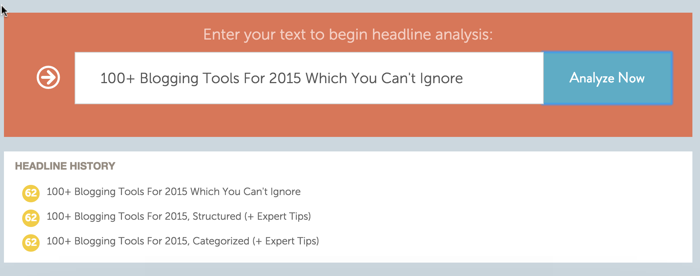
- EMV tool: Checks the emotional marketing value of a title. The higher the EMV score is, the better it will perform on social media chaels.
- Headline Analyzer: This is the best tool in this lot. Regardless of what you know or don’t know about blogging, you will be chuing out the best titles for your blog posts.
- TweakBiz title generator: A comprehensive title generator by TweakBiz.
- Potent C idea generator: Call it a content idea generator or a title generator – it functions as both.
- UpWorthy title generator: The only viral topic generator you need.
Proof-reading tool:
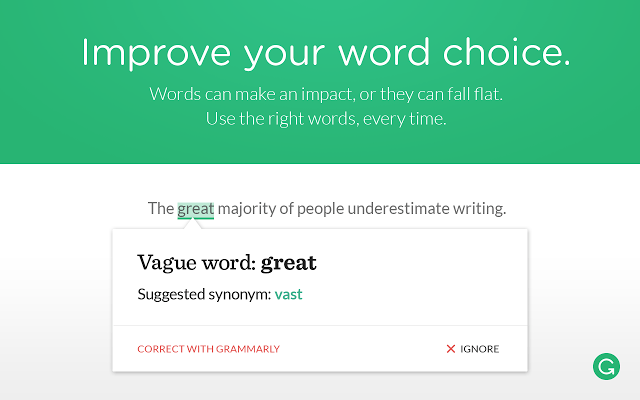
- Grammarly: Saviour for a non-native English speaker like me. Helps with proof-reading, suggests words, is a great companion.
- Hemingway App: Free web-based tool to improve your writing. I’m sure you will end up bookmarking this one.
Stock images for blogs:
- Flickr Advance search: Use Flickr Advance search to find images with a creative common license.
- Google image search: Use images with an appropriate license which you can use on your blog.
- Image Suite: WordPress plugin which searches 9 different sources to find free-to-use images. The best part is that you don’t have to add image credits!
Blog reading and content discovery tool:
- Feedly: Subscribe to any blog feeds or search for your interested topic to discover new blogs to subscribe to.
- Pocket: A “read it later” app which is also a productive app. Integrated into all the reading apps mentioned previously and lets you save articles for later reading.
Desktop Image/video recording + editing tools:

- Camtasia: Available for both Windows and Mac OS, and let you record screencasts. Offers a one-month free trial.
- Snag it: Image capturing and editing tool for Mac and Windows OS. One of the best, and highly recommended for bloggers.
- Image Optim: Mac Image compressor tool which optimizes your images for the web.
- MPEG Streamclip: A powerful desktop video converter software for Windows and Mac. You can use it to convert, cut, trim and join videos. I usually use it to convert my video format to reduce the size of the video.
- Audacity: A sound recorder tool for every major desktop OS. Useful for podcasters, as you can record and then edit your recordings.
- Google Plus Hangout: This is one free tool that is underused by bloggers. Use it to co-host a webinar or run a Q&A session with your readers. Streams & records everything on your YouTube chael too.
- TubeBuddy: If you are a Youtube publisher or video blogger, you should get Tubebuddy. This one tool can double your Youtube chael traffic & make it easier to manage your Youtube chael. Highly recommended for Youtube publishers.
Visitor stats and analytics tool:
- Google Analytics: The best solution for viewing advanced details about your blog traffic. Also shows live traffic status of your blog.
- Jetpack plugin: Offers a module called “WordPress.com stats”, which allows you to see traffic details from your WordPress dashboard.
Outsourcing websites:

- Fiverr: Outsource things like YouTube video intros or buy social media likes & much more for only $5.
- oDesk: Great place to hire virtual assistants or freelancers to get a job done.
- 99designs: Crowd-sourcing websites for your web-design needs. Cheap, but high quality.
- Problogger job board: Need a content writer? This job board is the right place to find an authentic writer. Costs $50, but you will find the best of the writers here.
- Truelancer: An Indian startup which is going places. You will be able to hire great talent at nominal cost.
Productivity tools: Take control of your time

- Headspace: Tired of blogging constantly? Use Headspace and meditate for 5 minutes. You will thank me later!
- Wunderlist : Manage your to-do list with Wanderlust. Available on all platforms, and stores data in the cloud.
- Trello: A card-based task management tool. I have used it in the past, but have now shifted to Wunderlist. Still, Trello serves a different purpose and is very popular.
- Rescuetime: Sends you weekly stats (configurable) of which site you spent the most time on during the previous week. A good idea to start taking note of your counter-productive activity, and save your precious time. Install, configure and it runs in the background.
- Selfcontrol: App for Mac which lets you block access to certain sites. Try blocking Facebook, and notice how your productivity increases!
Keyword research tools:
- Google Keyword Plaer: Free and easy-to-use keyword research tool.
- SEMRUSH: Atypical keyword tool that allows you to find keywords that a given website is ranking for. Use it to find long-tail keywords which are easy to rank for.
- LongTailPro: Desktop based (Windows & Mac) keyword research tool. Perfect for those who have little experience with keyword research.
SEO tools:
- Google Webmaster Tool: Free tool from Google which shows various data such as links to your website, duplicate content and keyword ranking.
- Bing Webmaster Tool: Similar to Google Webmaster Tool, but for Bing search engine.
- Integrity: Desktop tool for Mac which checks your blog for broken links (inteal and exteal).
- ScreamingFrog: Desktop SEO tool which lets you check your blog from the web-spider’s point of view. Available for Windows, Ubuntu and Mac OS.
- KWfinder: I discovered this tool while doing research for this post. Guess what? I have fallen in love with it. I will share a detailed review soon, but for now you should bookmark and try it. The free plan lets you make 5 searches in 24 hours, which is pretty neat.
Social Media Tools:

- BufferApp: This will never let your social media profile run out of content. Also offers a mobile app called “Daily”, which lets you add high-quality content to your social media profiles.
- Hootsuite: Best social media dashboard tool for managing all social media chaels from a single dashboard. Supports Google Plus, and you can auto-post content from your blog’s RSS feed. (Free 30-day trial)
- Postplaer: Post scheduling tool for Facebook which is constantly updated with new features, and helps you to take care of Facebook’s edge rank algorithm. (Free trial.)
- ClickToTweet: Create a single link to tweet. You can use it within your blog post to increase your number of tweets.
- SocialPilot: New kid on the block of social media tools, but I love it as they offer an iOS app (and an Android app too). Doesn’t support Google Plus, but offers support for Facebook groups.
Images for social media tool:
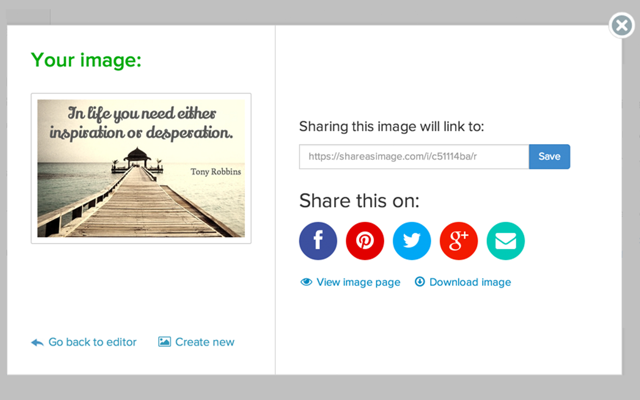
- ShareAsImage : Create beautiful images and download or share them directly to your social media chaels. Easy to use and requires zero experience.
- Canva: The most talked about social media image tool. Offers images of various sizes based on specific social-media platforms.
- PicMonkey: Online photo editing and photo design tool. Also lets you create photo collages.
- Pictochart: Infographics are the most shared content type on social-media, and Pictochart is the best free Infographic tool available right now.
- QuotesCover: Create visually appealing quote images.
- ButtonFactory: Create call-to-action buttons, and download them to use on your blog. Useful for increasing CTR.
- Pablo: This free webapp is by Buffer. Lets you add text over images, and share it on social media sites with a single click.
- Vid to gif: .gif images increase CTR, and sites like Google Plus & Twitter support .gif images. Use this tool to create a .gif from any online video.
Blog Monetization:
- Google AdSense: The best contextual advertising network. It’s easy to manage and pays on time.
- Infolinks: In-text advertising solution which offers various ad formats.
- Chitika: A good alteative to Google AdSense with a lower minimum payout.
- VigLink: Perfect for bloggers who uses commerce-related words in their articles. Search engine friendly, and lets you ea money from an outbound link.
- Po.st : Ea money from social media sharing buttons on your blog. They pay based on CPM and are used by many top publishers.
Affiliate marketplace for affiliate bloggers:
- ClickBank : A popular affiliate marketplace for bloggers in any niche. Many different affiliate products to promote.
- ShareASale: Another popular affiliate marketplace with tons of affiliate programs from which to choose.
- Peerfly: One of the most talked affiliate marketplace where you can get great offer. Promote deals from popular companies like Uber, Booking.com.
- Impact Radius: Gaining traction lately as many popular companies like MaxCDN and Media Temple use IR to run their affiliate programs.
- Commission Junction: One of the oldest & reliable affiliate marketplace to find great affiliate offers. You can also get paid via Payoneer.
Email marketing tools for bloggers:
- Feed buer:: Free service by Google which let you optimize your blog feed, and you can use it’s newsletter feature to send daily updates to your subscribers.
- Aweber : Best email marketing software for bloggers offering email automation, personalization and pre-built templates for sending beautiful email newsletters.
- Getresponse: Another popular tool among bloggers & inteet marketers. Offers Webinars support & 30 days free trial without credit card.
Landing page tool for WordPress:
- LeadPages: One of the most trusted landing page tools for WordPress or any other blogging platform.
- OptimizePress: Offers WordPress plugins and themes. You can use either to create a landing page on your blog. Also a great solution for creating membership for your WordPress site.
Webhosting resource for bloggers:
- Bluehost : Recommended as the #1 hosting service by the official WordPress.org hosting resource page. Cheap and affordable shared hosting with one free domain name.
- InmotionHosting: Looking for non-EIG shared hosting? Give InMotion Hosting a try. Not the cheapest, but certainly one of the best in this lot. Based out of Los Angeles & a have a thriving community.
- Cloudways: Want to host your WordPress site in the Cloud (Amazon or Digital Ocean)? Look no further than Cloudways. Makes it easier for non-technical users to host their website in the cloud.
- KnownHost or Linode : Looking for a managed VPS for your blog? Choose either one of these and you will not be disappointed.
- WiredTree: Looking for a managed dedicated server? A WiredTree managed dedicated server starts at $150 and offers one of the best customer support services in the hosting industry.
- FileZilla: Desktop FTP tool which is available for every desktop OS.
- MySQL WorkBench: An advanced tool for desktop management of your WordPress database. (Recommended only for technical users.)
Blog promotion tools:
- Flipboard: Create your own magazines, and curate articles from the web or from your own site. Your creation combined with Flipboard can drive targeted traffic. You can use their bookmarklet to add content to your magazine, or use their mobile app.
- Triberr: Create your own tribe, and coect with like-minded people. Or you can join an existing tribe to amplify your post reach on social-media platforms. Recommended by blogging pros.
- MakeWebvideo: Use whiteboard style videos for your blog intro or for any topic. See an example here.
- Whats new: Show your blog’s new updates since the reader’s last visit. Great idea for a blog and gets tons of retu visits.
- Wisestamp: Add visually appealing signatures after your email. Use Wisestamp RSS addon and show your latest blog post in every email. A clever technique to market your latest post. I use it to gain subscribers to my social-chaels. This is an addon for browsers.
Content marketing tools:
I have covered many content marketing tools above. Following are a few which did not fit into any of the above categories:
- SumoMe: Offers various tools to enhance your blog. Do check out heatmap and content analytics to start.
- Inbound: A community-driven site to discover the best of inbound marketing content. A website to find content that is worth reading.
- BuzzStream: For bloggers’ outreach. Not a free tool, but this is an absolutely amazing tool for serious bloggers & marketers.
Other miscellaneous blogging tools:
- Roost: Enables web-push notifications for your blog. A new and iovative way to let users subscribe to your blog updates. Used to be free but now it’s paid.
- Google apps: Create domain specific email. Powered by Google & you will get access to all Google products. Also helps in getting AdSense approval fast with domain specific email address.
- Speechpad: Offers transcription services for audio or video.
- GtMetrix: Check your desktop & mobile site’s loading speed. It also suggests how to improve loading time.
Over to you: add your favorite tools in the Idea
This list will never be complete without your contribution. You can make this epic list of tools more useful by adding your favorite tools in the comment section below. Help me to make it 150+ list….

One more thing…
Share this article with your blogger friends, as it will help them and make my countless hours of work count.
Thanks
Subscribe on Youtube
برچسب:
نویسنده: استخدام کار
Want to drive more traffic from Facebook & ea more money?
If your answer is yes, today seems to be your lucky day.. Read on…
The Facebook instant articles are not new to the users like you who is so net savvy. As a blogger & webmasters, Fb instant article is a boon & a curse. Boon because it will give us more traffic from Facebook & at the same time it’s bad; as you won’t be able to show your widgets or email box like you do right now. Needless to say, the Facebook instant article is here to stay & sooner you would integrate it, better it would be for you.
I have waited for quite long to share this article with you; as I wanted to give you all necessary details & guide to configure FB instant articles with your website. Today, I will be sharing the complete tutorial + a video guide to help you setup Facebook instant articles for your blog.
If you are not aware of Instant articles by Fb, let me quickly give you an overview of what it is & why it matters.
What are Instant Articles?
The instant article is a feature by Facebook that solves the problem of slow loading of articles. An Instant Article is a HTML5 document optimized for fast mobile performance, rich storytelling capabilities, branded design and customized the visual display. Once you have enabled Instant articles on your website/blog, after that whenever your articles are shared on Facebook, users surfing on the mobile app should be able to see instant article icon. The icon represents that the article is an instant article & it would open within seconds. In the below image you can see how instant articles icon look like:
I’m sure many of you already have experienced Instant articles when using the Facebook mobile app on your smartphone. If not, from now on pay attention or check few posts on ShoutMeHindi Facebook page using your Facebook mobile app.
There are many pros & cons of using Facebook Instant articles, but pros outweigh cons in the majority of cases. Since Instant articles are not too old and there is a great room for improvement & iovation in the coming days. Instant articles are very crucial for countries like Brazil, India, Philippines & many other countries where low coectivity is an issue. Check out this video to understand how Instant articles look on a smartphone:
I will cover the pros & cons of Facebook instant articles in coming days & for now let’s setup Instant articles for our WordPress blog.
How to Setup Facebook Instant Articles on WordPress platform:
I would suggest you to go through the steps mentioned below & then watch the video guide. While watching the video, start configuring Instant articles for your WordPress site. It should take about 15 minutes to configure everything & within one day, Instant articles should be live for your website. So, let’s get started:
This will lead you to next page where you need to select the Facebook page where you would like to enable Instant articles tool.
- Select the page & click on Enable Instant articles. This would enable Instant articles for your Page & now we need to configure Instant articles.
- After enabling Instant articles for a page, you can always access the configuration page by going to page settings > Instant articles.
Here we need to do following things:
- Claim your URL
- Add RSS feed ( For other platforms, you can use their API to setup Instant articles. Here is the guide for the same)
- Submit for review
We will also be configuring official Instant articles WordPress plugin that I have covered in-depth below. If you feel you will be stuck in between, don’t worry as the video guide will make it easier for you to follow everything. A user with basic computer skills should be able to follow this guide. So let’s get started:
Claim your URL:
Click on Claim your URL & that would give you a Meta tag which you need to add to your Website <head> tag. You can do the same by editing your header.php file or if you are using Genesis WordPress theme like me, watch the video below.
Once you have added the Meta tag, do clear your WordPress cache. Now, click on Claim URL & you would see a success message as shown below.
The next step is to setup the RSS feed for Instant articles which would be done with the help of official WordPress plugin for Facebook Instant articles.
RSS Feed & Official Facebook Instant articles plugin:
Facebook has partnered with few publishing and analytics platforms to make it convenient for bloggers to create and post Instant Articles. Install Official Facebook instant article WordPress plugin. This plugin is developed by Facebook, Automattic & few more developers. Upon activation of plugin, a new feed has been generated & you can check it by adding /feed/instant-articles to your domain name. So, in my case it was:
http://shoutmehindi.in/feed/instant-articles
Go back to your Facebook page instant Articles setting & add this RSS feed into the ‘Production RSS feed’ area (Refer to below screenshot)
Click on Save & now let’s get the last few things done.
Configuring the FB instant article WordPress plugin:
- To start using the plugin, you need to input the Facebook App ID and App Secret. For this, you need to create a Facebook app which is pretty easy.
- Follow the below-mentioned steps & it would be done within 5 minutes.
- Go to this page & click on add a new app
- On the pop-up select website as the option.
Click on Create App ID & on the next page, enter your website URL without HTTP://
Click on Next & then click on Skip quick start guide. On the next page, you would see your App ID & App secret.
- Also, you need to make your new app live. Click on App review > Change the toggle to yes & this would make your app live.
( I suggest you to watch the video that would make it pretty easy for you).
- Now, head back to Facebook instant article WordPress plugin settings & Copy the App ID & App secret to WordPress plugin
- Click on Next & you will see the option to Login with Facebook. Click on it & validate your login & select your Facebook page from the drop-down.
Click on next & that’s it. The plugin is configured & now you need to submit articles for review Now, before we complete the final submit for review step, click on Style & click on default style:
Here you need to add your website logo (Mandatory) that should be in the size of 690*132 Px.
Tip: If you don’t have the logo, simply create a blank canvas of the size 690*132 in Snagit or any other image editor tool you have & use your blog name as logo.
Once you have uploaded the logo, click on save & done.
Submit for review:
Now, this is where it gets tricky, as you need to submit 10 posts for review. Here is what you can do:
- Go back to your WordPress dashboard
- Open 10 already published blog posts in edit mode.
- Save all of them & this will send those article to your Facebook instant articles RSS feed.
Once that is done, you will be able to submit your articles for review.
Submission approved & enable auto-publishing from RSS feed:
It usually takes about 3-4 days for your submission to get approval. For one of my blog I got following error:
General Errors: Empty Instant Article: The Instant Article does not have any content.
Error : General Fatals: Sorry, We Couldn’t Parse the Article
For that blog, I deleted all posts from Instant article production which were giving errors & resubmitted for review. For ShoutMeLoud, I got approved & after approval, the screens look like below.
One important thing, you should enable the auto publishing from RSS feed.
Update: Here is the guide to make money from Facebook instant articles
Video guide:
Here is the video guide that I have mentioned above. This would clear any doubt that you might have for configuring Instant articles for your WordPress blog:
Facebook Audience Network:
One of the thing that most of the publishers are worried about is monetizing articles served via Facebook instant articles. Well, Facebook has open Facebook audience network which let you ea 100% of revenue generated via it. Here is the official explanation on Fb Audience Network:
Publishers can directly sell and deliver baer ads, video ads (click to play or sound off), and animated ads containing HTML5, Javascript or CSS (provided the ads do not expand, collapse or any block content). Publishers can also monetize through the Facebook Audience Network, delivering high value, relevant and engaging ads from over 3 million advertisers on Facebook.
Audience Network provides publishers and developers with engaging, high performing ad units backed by Facebook’s 3 million advertisers. Audience Network extends the reach of Facebook campaigns beyond Facebook, and provides publishers a way to monetize their content with relevant, better-targeted ads and iovative native ad formats.
Once you click on get started, you will also get the link for audience network dashboard. You can take help of this resource to configure your payment option. If you don’t update your payment option, Facebook will stop service ads once you have reached $100.
Just to let you know, it takes about 5 minutes for your audience network application to get approved. I will do a detailed article on this in the coming days.
Update: Here is the guide to make money from Facebook instant articles
Helpful resources:
In the coming days, I would share tips & tricks to get most out of Instant articles. For now, go ahead & configure it for your blog. Do come back & share your experience with us. If you have found this guide useful, do share it with your friends who have a WordPress blog.
Subscribe on Youtube
برچسب:
نویسنده: استخدام کار

Becoming a “yes” man or woman is typical when you’re in the freelance business, especially when you’re starting out. You try so hard to win clients, please them at every tu, and ensure that the likelihood of receiving projects in future sky-high.
However, what about when you face a situation where saying “no” is clearly better than signing up for something you know you can’t manage due to time constraints or some other reason? How do you decline without hurting their feelings, appearing incompetent, or risk losing any chance of receiving projects from them in the future?
This is a sticky situation for many, particularly those of us who find saying “no” difficult. This is why we’ve gathered a few tips that will teach you the trick to saying “no” without doing too much damage.
How to say no to clients: Simple Strategies
First thing first: Set Priorities
Often we try to exchange what should be our top priority with work we shouldn’t have signed up for in the first place. For example, if you always have a specific number of hours set out for quality time with your family, don’t make it a habit to exchange this with work that randomly pops up.

This could be true for other priorities as well, such as time for yourself, time for another high-paying project, or time for another high-value client. Be it a weekend or after-work hours, tell your client upfront that it can’t be done during those hours, and you’d be willing to do them at another time.
Practice Saying “No.”
Prone to being a “yes” man? Don’t worry that can change. How? The same way you try to lea anything—with plenty of practice! You probably face situations where people try to push you to your limits. Even though you feel like you should be saying “no,” you reluctantly choose to say yes. It is during these situations you should lea to say “no.” Understand the fact that saying “no” is not bad at all, especially when you know that saying “yes” would lead to even more unpleasant consequences.
Re-Schedule
In some cases, an outright “no” as a response is not necessary. For example, if the client isn’t in a hurry for when the project is handed in, tell him that you’ll start on it as soon as you are done with what you are currently working on. Of course, you need to convince them by providing more information about other due dates and where on your calendar their project will “fit in”. If they’re in a hurry, though, postponing may not be an option, and you might have to reject the offer.
Set Your Terms
If you’re reluctant to sign up for an assignment because you feel you’re not being paid enough, can’t offer the required services, or feel that the contract would violate “ethics” in some way, talk it out. Again, you don’t have to give an outright “no” in these situations. Perhaps, you feel you can negotiate the terms. For example, you can tell your client that with time and experience, you have realized that the market value of your work is higher.
Give objective facts and figures and point out why they could be higher in your region. Or perhaps, you could request your client to drop a few tasks and reduce the volume of work. That way, you’re not exactly saying “no”. You’re simply giving them a counter offer and the whether to accept or reject the project is totally up to them.
Replace “No” With Other Variations
This one always works when you’re trying your best to be polite! If you’re worried about offending your potential client’s feelings, you don’t always have to use this seemingly rude two-letter word. Lea the art of saying no without actually saying no!
For example, you can say, “I appreciate that you offered me this job, but unfortunately, I’m swamped with [X project].” Or, “That would be great, but it’s too bad I have to [commitment]. This time, you might have to look for someone else”.

Image credit: drjuliehanks.com
Perhaps, you can simply state your busy schedule until a certain date and offer work after that date. There are plenty of ways you can “no” without actually saying it!
Just Be Polite
In the end, the best way to say “no” without doing much damage is to say it as politely as possible. Also, try, to be honest about your schedule, commitments, or other preferences it could come in conflict with. First, always try to listen to the request and avoid interrupting until they are finished. Then, tell them you’re tied up and that you simply can’t do it at this time.
Always remember that a project delayed/denied is much better than a project derailed. Not only would that waste time and money (client’s), but also result in even more “sticky” situations and a much less likelihood of the client hiring you again.
Under what situation & how do you say no to a possible or existing client? Have an experience to share? Let us know in the comment section below.
Want to contribute something awesome? Read our submission guidelines.
Subscribe on Youtube
برچسب:
نویسنده: استخدام کار
If observed minutely, no sport is an individual sport at all.
Now, you must be thinking when did 100 m dash/ sprint or high jump, long jump transformed into a team sport.
No! They did not, it still requires an individual to perform the actions.
But, I still say it’s the team and not an individual.
Why?
Because the individual performing actions is backed by his/ her team.
Their team comprises of coaches, physios, managers, etc. Not just the athlete takes or puts in all the efforts, but also the other guys who are responsible for the athlete’s performance.
Same applies to startup businesses as well. Consider your business to be the athlete and you and your employees to be the team.
Unless all the teammates are doing their work efficiently, your athlete is not going to succeed. For your business to bloom, you need to ensure that your team works efficiently and is high on spirit round the clock.
This will not just boost the business but also the moral of your employees. Now, let’s focus on some elements about how you can manage your team effectively.
Your Guideline to Manage The Key factor of your startup:
Step 1: Hire “A+” Players
It is rightly said that hiring prevails to be one of the most important entrepreneurial skill of all time. We have heard about this time and time again that
By A+ players it just doesn’t mean that hire people with experience or qualification. There are a lot of other credentials that you must take in your calculations. The first and foremost is self-motivated. This according to me is the best one can possess. These people love and are efficient in their work and also motivate others to work efficiently.
This will build an amazingly healthy team which will last long and will always be willing to run the extra mile.
Step 2: Analyse Their Skills
Many regard this as not so important but there are some who do. The reason being, you caot ask someone to do something which he/ she is not capable of or has no knowledge about. And, also as you might know that people are at their best when working on their core competencies. This just doesn’t ensures that the work will be completed optimally but also ensures that job is done within time constraints. This boosts productivity and motivation among people.
When hiring examine if the candidate possess the required skill set. Once done that allocate work suited to their core competencies. The reason being the above-mentioned paragraph.
Step 3: Define And Share Your Vision
Every business has to have a vision and you are the one who decides it. So, define the vision and share it with your employees. Your employees need something to look up to, to work for. When you clearly define your vision and clearly communicate the same with your team, it ensures that all of your employees are on the same path and are marching towards achieving that vision. A highly motivational thing as some see as their targets and want to achieve it at any cost.
Step 4: Design An Employee Enhancement Programme
Numerous fortune 500 companies follow this practice religiously. Leaing is a never ending curve and neither should you limit it. Ensure that you along with your HR or core team design an enhancement programme. This will boost your employee’s productivity. As your employees are leaing new things, thus they are increasing their skill set. So, the next time you have some work to be allocated which requires some extra skills, worry not your employees already have it in them.
Step 5: Get Everyone Involved
Explore a way to involve every employee. Get your employees in plaing and decision making. Not saying that give them the whole authority, but allow them to submit their suggestions. This way they will be more engaged and now your project matters to them more than anything else as they will treat it as their baby. This not only empowers and motivates employees but certainly scrapes out the hidden manager within them. This ensures smooth work flow of the project and an highly motivated team.
Step 6: Make Work Fun
Often heard, but only a handful acted upon. Give them the respect, the love, the attention and the amusement that they deserve. Only work no play guarantees downfall and you don’t want that, do you? Mix it up with some co-curricular activities, sports, fitness programmes or may be a party. This executes the common abstraction between employers and the employees. Thus promoting a happy and happening working atmosphere.
Step 7: Implement Incentive Programmes
Generally, this term is associated to the sales team or the sales guys. Where they receive incentives for achieving their sales target or may be for doing more sales than expected. It has been observed that this gig works more than anything when it comes to increasing productivity.
Every company does this to keep their sales team motivated, ever thought of incentives for efforts? For the not so sales people. Introduce incentives in any department and you will discover a positive curve in the productivity graph. Here are few suggestions for rewarding your employees within budget:
Conclusion
Your business will prosper when you and your team share the same vision and are relentlessly working to achieve it. But, to have your employees working relentlessly for your vision, you need to keep them happy and motivated. I hope this article helps you in keeping your team happy and motivated.
For further reading:
Want to contribute something awesome? Read our submission guidelines.
Subscribe on Youtube
برچسب:
نویسنده: استخدام کار
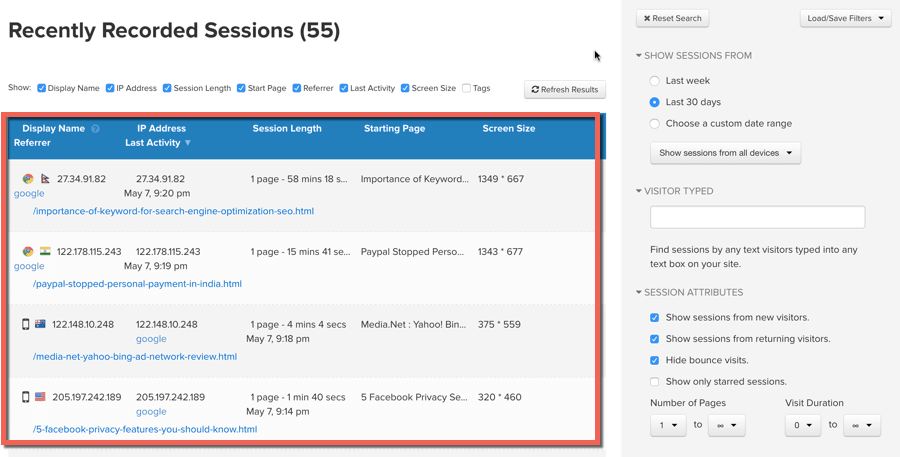
Have you ever wanted to see how random visitors are using your site? Well, I always wanted to & this post is all about that. But before I tell you about this amazing tool, let me quickly tell you about one important term that anyone who works online should know. i.e. Conversion Optimization
Conversion optimization is the system to increase the percentage of users to take any desired action on your site.
- For an E-Commerce site, it could be as simple as purchasing a product.
- For a whitepaper landing page, it is signing up for the form.
- For a blog it could be sharing an article, Idea or taking any desired action.
From past few months, I have been focusing on tracking users behavior on my site & making changes accordingly. I have been using SumoMe for tracking Heatmap & content analysis. I always wanted to see how users are interacting with my content.
- Are they able to navigate properly?
- What are the roadblocks on a page?
- At what stage does a user leave a page or abandon the cart?
Recently, I came across a great tool called Inspectlet, which let any website owner see how visitors are using their site. It’s not like this tool is the first of it’s kind as I have used such tools in the past but this one is pretty easy to use & anyone can start using it in literally 5 minutes.
This post is not a review rather a hands-on experience with Inspectlet. So, let’s get on with leaing about another must have conversion optimization tool for every website owner.
Getting started with recording users behavior on your web page: Inspectlet
With this tool, you can record users session, track heat map that includes (Scroll, Click & Eye-tracking heatmaps). It’s like watching individual visitor use your site as if you’re looking over their shoulders.
I got to know about Inspectlet from Producthunt & for the moment, I thought this tool is going to cost a bomb. But I was surprised when I checked their pricing page, as the pricing was nominal & to get start with they are offering a free plan which let us record 100 sessions.
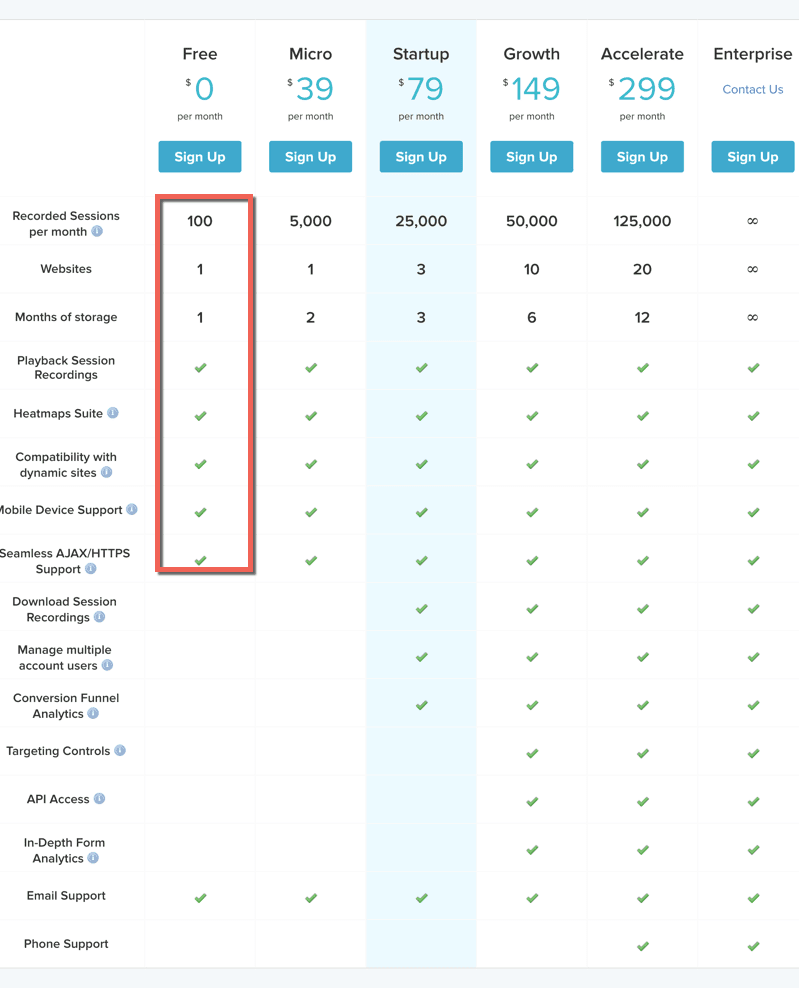
Another problem which I often face when using a new tool is integration. Well, that was also easy as all I needed to do was add few lines of javascript code & that’s it. The JavaScript loads asynchronously in a non-blocking fashion, meaning that it’s loaded while your other page resources are loading. It doesn’t delay visual page rendering, nor does it delay the javascript document ready or onload event, so your users see absolutely no difference in performance.
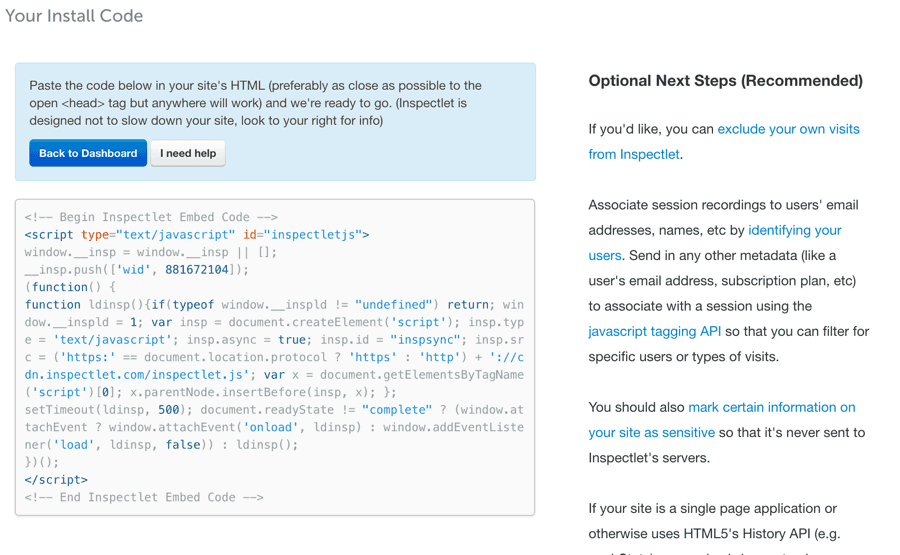
After adding the code, it’s a good idea to flush your cache. Now, once that is done you should be able to start seeing the session recording right away.
In the above screen, you can see in total 55 sessions are recorded. I have created this video to show you how the session recording looks like (No sound in the video)
You have a choice to record users session on particular pages & this is pretty useful when you are optimizing your sales fuel or an important landing page.

To configure the page you wish to track, click on the dashboard & select ‘Targeting” option to configure.

Depending upon the kind of website you are ruing, this tool can do wonders for you. So, go ahead & try Inspectlet.
Sign up for an Inspectlet account
Do let me know how was your experience & feedback of this tool. If you know of similar tools which let us record users session, do share with us in the comment section below.
Update: Similar tools suggested by readers:
Subscribe on Youtube
برچسب:
نویسنده: استخدام کار

What’s your favorite part of a good story?
Mine is always the plot.
I love how my favorite authors take something ordinary, tu it around, and then present me with this new idea. Other people enjoy the characters and their growth throughout their ordeal. Meanwhile, some folks are obsessed with the details of the setting. Whichever element you like, we could all agree that story-telling is – and always will be – timeless.
No wonder the most successful bloggers use this tactic.
In fact, our brains are so in tuned with stories that through thousands of years, it has inspired cooperation, helped us survive, and have kept our species alive. There are numerous articles dedicated to how creative writing can help you with your blog. But in this post, let me show you how the five common components of a story (the plot, characters, setting, conflict, and resolution) can take your blogging skills to a new level.
#1 The Plot: What’s YOUR Story In a Nutshell?
In some references, this can also be called the main ‘premise’. Good content is akin to a good story: it revolves around a central idea. The Star Wars Trilogy is a great example. Its original author, Alan Dean Foster, wanted the plot to be that good triumphs over evil no matter what – and it showed in all the books and the movies. People loved it because it was consistent.
In blogging, our most common plot is ‘helping readers with our expertise’. Whether the post is about tips on cooking casserole or how to write a compelling article, you should leave people feeling like they gained something useful from your work. We’re all familiar with link-bait articles: writings that promise something wonderful but deliver another. This goes against one of the basic elements of writing.
So to deliver quality, consistent blog stories over time, be clear on your plot first. The best way to know whether you’ve nailed this one down is to summarize your thought in just two or three sentences. It should answer the question: ‘what’s this article about?’ If you can do that, then your plot is ready.
#2 The Setting: WHERE Is Your Story?
In creative writing, this is easy to spot. It’s space in Star Wars, Hogwarts in Harry Potter, and New England in Little Women. It’s not only limited to places or location. A story’s setting can also be a specific time, date, or event. In blogging, your setting would explain the motive behind your plot.
Say you want to write about how to create a convincing article for prospective digital marketing clients. Your goal (or plot) would be to give away solid tips on how to be persuasive through text. Your setting is the dynamic industry of mode online marketing. Show it the best way you can through concrete examples or comparisons.
In one of my guests posts entitled ’Unboxing Your Brand’, my setting was video-sharing site, YouTube. I wanted people to see the world of un-boxing videos and how it affects consumers today. My plot was to help readers realize the difference between bringing great content and just promoting someone’s products.

#3 The Characters: WHO Are In Your Story?
This is perhaps everyone’s favorite part. We all want to know who’s who in the grand scheme of things and why they are important. You may think there are no characters in a blog post – but there is: YOU. You have the most significant role in your blog posts because you are the one carrying your audience. This is why having a unique voice is essential as it shows in your work.
Readers can identify character types through dialogues alone. For instance: right now, my character is informal but shows a fine balance between being conversational and professional. I sound like this through all of my articles. Readers can’t say I’m much fun – but I get a lot of feedback that my works are educational, insightful, and positive for the most part.
One blogger I like in particular, Erika Napoletano, has a totally different character. She seems headstrong, independent, and adventurous.
In fact, she reminds me of the heroine Kriemhild from the old Germanic epic, Nibelungenlied. As you can see, we can play different characters based on how we choose to portray ourselves. The more you show your true self, the more your writings are going to break through all that digital noise.
#4 The Conflict: Is There a Problem?
Although having a grand plot, amazing characters, and an unforgettable setting is crucial to a good story, they’re all useless without conflict. In the Harry Potter series by J.K. Rowling for example, the main conflict is that Lord Voldemort was trying to kill Harry Potter. In Little Women by Louisa May Alcott, the girls go through various hardships in life that test their values. Conflict is not just to keep a story exciting – it’s to help characters evolve.
In blogging, it is normal for authors to convey contradicting views or to present problems. Without it, the piece will feel flat, bland, and one-sided. In Paul Pruneau’s post on Business2Community about blogging essentials, his conflict was about too much content and how it can bury one’s blog under all that chaos.
The arguments presented in these articles make readers excited to see how it can be resolved. They hand onto the author’s every word. They stay. The same is true in a good story. After all, weren’t we all at the edge of our seats when Titanic’s demise pushed Rose and Jack to fight for their lives?

#5 The Resolution: Everything Must Come to an End.
Unfortunately, even good stories must come to an end. This is where we need to go full circle and conclude our works. In Titanic, Rose moves on but eventually meets Jack in the afterlife. In Harry Potter, Harry finally defeats Voldemort. Conflicts that were presented must have an answer; otherwise, readers will feel cheated.

Going back to our example of writing a convincing post for potential online marketing clients, at the end of your article, you should wrap it up with your key thought. Something like, you need to maintain a distinct yet genuine voice to be truly persuasive; or that nothing beats showcasing your experience and value to customers. Repeat your main point if you must for emphasis.
Failing to conclude a blog post often results in confusion. Did the author mean to say more? That was it? If you believe that you have enumerated all the important concepts, you can simply summarize them in your last paragraph. You could also close with a question. The latter often works to get engagement in the form of Idea and/or social media shares, because your last sentence made them think.
Best Stories Make Every Word Count
You won’t need these for every post in your blog. There are times when all you need are just a plot and an ending; other times, you’ll have to outline everything. However, knowing how each element in a story contributes to its readability will help us all as bloggers make our works more cohesive.
No matter how baffling a story may seem in the begiing, they all come together before we’re finished reading.
The most essential rule that both blogging and creative writing stick to is making EACH word count. ‘Each word had to pull its own weight; it should serve its own purpose’. Similar to composing music, no note should be out of place. So take your time when creating your piece.
After all, the best stories weren’t written in one day.
Want to contribute something awesome? Read our submission guidelines.
Subscribe on Youtube
برچسب:
نویسنده: استخدام کار

In here I am not talking anything about popping out of the boxes business ideas.
Startup culture has already set in and numerous future aspiring entrepreneurs today are giving it a go. Their zeal is worth appreciating, isn’t it? Yes! It is, but on numerous occasions, it has occurred that they decide starting up in hassle. Only because of the reason that the market is coping up, doesn’t mean that you can toss a rock in the water and it will set afloat.
The reason behind numerous startups/ businesses collapsing is, that they are not electing the right business suited for them. According to a survey 93% of the businesses that stall, stall because of wrong choices made by the entrepreneurs. Electing a business isn’t easy as it seems. It’s not just about what’s working in the market, there are various distinct elements associated to it. Let’s find out what they are.
Analyzing Personal Capabilities
Before setting on to the quest of starting a business, analyse your skill, strengths and most of all your limitations. You are a human, not a cyborg so you must be having some limitations. Analyse them.
Once you have analysed your strengths and your limitations then you will get a clear picture of what you are capable of and what not. Also, conducting this test of yourself before setting out is advantageous as it prepares your for the worst that can happen and also adds buffer time to get things sorted which may lie out of your league. Here are few articles that would help you to increase your overall strengths & productivity:
Have A Mentor

Everyone has had a mentor in his/ her life, we all need a mentor and that the universal truth. Coect with people not of your league but of bigger and better league. Ask them to become your mentor. Discuss your plans with them. Ask for suggestions from them as they possess enhanced skills and experience. Include them in your plan, so that you get an early feedback about your concept which can do wonders in the long run.
For further reading:
Always Have Options
Once you have analysed yourself, then the next step is exploring options. Never just stick to one option. When in plaing phase always consider having 3 to 4 options in your hand. Invest time and analyse each option thoroughly. This rolls out as a time-consuming activity but it is essential. Plan around every option and then select the right one.
Have Your Target In Sight

Until now you must be damn sure about what you need to do. Great! Coming to target (Target Audience). This my friends in the most crucial element of any business. Every business needs customers, so conducting a study of your target audience in not a bad idea at all.
Follow them, follow the market and analyse what make them happy, what language do they use, what are their purchasing habit and pattes, where do the lie geographically, what dilemmas do they have and how your idea is best suited for them. Examining all these will give you firm understanding about your audience which then helps in conquering them.
Competitive Analysis

You surely are not the first one in the market. Even before you enter you have competition in front of your ready to brawl. Don’t let that scare you or keep you away from accomplishing your dreams. With proper plaing that can be taken care off too.
Follow your competitors early on evaluate their market activities, their social media activities and other chaels that you may discover. Social media is by far the best to understand what your competitors are doing. Create a list of those activities and analyse what engagement are they receiving from those activities. This will fuish a fair view of what you can capitalise upon.
Chaelizing Income Flow
Initiating a business asks money to be invested. So, you need to ensure that you plan for cash flow. Draw a plan of how you will monetize through your business. Proof read it, verify it over and over again until you are sure it’s the right path. To operate a business you need money and not every time can you shed it from your pocket.
Create a plan for the money that come in. Use and invest it wisely. Decide and dedicate proportions for every aspect of your business ensuring you still reap profits.
Testing
Testing makes product/services better. Create a prototype and test it yourself first. Find missing links and always keep in mind to treat yourself as your customer. Incorporate the missing links and then hand it over to your target audience to test it. Make it free as this will boost your brand early on and also your audience will know that you exist. Collect their feedbacks and once again go about making it optimal on the basis of feedbacks that you collected.
Draw A Marketing Plan
All set to enter the market? To enter the market you need to draw a marketing plan early on. Without a proper marketing plan you won’t hit the market, instead, you’ll hit the wall and most probably collapse.
This is where your competitive analysis come in handy. Bank on and enhance what they are doing right and eliminate what’s not working. Plan every step right from entering the market to numerous campaigns that you may have plaed. Elect the right kind of marketing that you think you need to promote your business. Leverage social media as well, as it’s where you will discover most your target audience engaging and interacting with your business. Allocate a budget to execute your marketing plan. And never ever forget to track the analytics.
Conclusion
Business is similar to farming and what you are doing here is sowing seeds that will blossom if take care of. Ensure you follow these steps before you set out on your quest to start a business as they will pay off in every run of your business. And when things get going your way, be ready to harvest.
Want to contribute something awesome? Read our submission guidelines.
Subscribe on Youtube
Check your domain ranking
برچسب:
نویسنده: استخدام کار

Note: This article is for individuals & citizens of India. Readers from other countries should check out our archive for posts tailored for them.
In the age of the inteet, Startups are working in a more dynamic environment dealing with a lot of complex laws. Also, ever changing laws are making it more competitive for start-ups to be more proactive in the approach. Mode start-ups like amateur bloggers, freelancers eas their basic revenue source such as Google AdSense without keeping worry about any taxation including Indian service tax laws. We need to understand that India is not a tax heaven and hence, start-ups should always have a legal strategy in place.
So many companies ea a lot of money from google ads. Many businesses are purely export based, as they provide various kinds services including web design, web development outside India. Even many freelancers also do the same. The primary source of income is outside India. But the one thing is very common in them is the lack of knowledge towards taxation. For example, as per law, you have to register for service tax, even if you are providing export services.

Also, one needs to understand that getting registered doesn’t mean that you have to pay the service tax. Registration is a different thing and paying service tax is different. Before we can discuss more, let me share a practical case to you.
The Practical Case of Raghvendra
Raghvendra Chandra Kumar (name changed) after quitting his job, started its own business. He was dealing in pharmaceutical products and Services through his website. He sells all his products/services to his client base in USA, Europe, etc.
In a span of months, his business kicked off and reached the new high of growth. In just a matter of 8 months, he was able to deliver services of worth $ 120,000 (around Rs.78,00,000).
He and his business were doing excellent until he reached out to us. He reached to me for his tax retus. He submitted me all his documents and invoices related to his business. After two days of analysis on the documents, I was pretty shocked to the blunder of mistakes that have put this person in big trouble. The following was my primary observations on the business of Mr.Ragvendra:
- He had received around 78 lakh into his bank account without charging any service tax. (Note: Not all services provided outside India are export) – An Important point in today’s scenario.
- He had delivered services and exported products without any import export code. (It is prohibited to import or export without IEC code, you are liable for strict action in case of any non-compliance) – This is as per Custom policy of India as drafted by Director General of Foreign Trade (DGFT).
- He had made a cash withdrawal of more than 50 lakh rupees and incurred expenses from that money. (Cash payments of more than Rs.20,000 in a day is prohibited as per Section 40a(3)(a) of Income Tax Act, 1961).
- Since his income from technical consultancy was more than Rs.25 lakh, hence tax audit applied to him, and he was liable to deduct TDS on expenses incurred by him. (As per section 44AB of Income-tax Act, 1961).
- He has taken roughly 11 lakh into his personal saving bank account, which is a risky business because transaction above 10 lakh comes under the scaer of Income tax directly. (This is as per Section 285BA of the Income-tax Act, 1961).
- He was in serious default for not deducting TDS on several payments made by him.
- He has not kept any proper supporting of the transactions nor did he have any proof that he has paid for that service, because in most cases, cash expenditure has been made.
- He was in default for not paying the advance tax liability. (Through practically SME and small businessman always non-comply with this section and ends up paying penalty for section 234B and 234C).
The above case is still open, and we are working on it to provide the best possible solution. Further, take the above practical case very seriously, because these things happen and we often overlook these things in our day to day work and one day they might come back as a blunder and can disrupt the business. (Further, all the above respective section of Income-tax Act, 1961 can be referred from here)
Service tax registration is mandatory for exports?
Yes, it is true that if you are providing the export services, then you are liable to register for service tax. As per the Service tax rules, every person responsible for paying service tax has to get registered with the authorities. Bloggers, Freelancers & Similar business also come under the ambit.
As an exporter, you are not eligible to pay service tax, but still you need to register. Rule 6A defines what export is regarding Service tax rules. To claim the benefit of export, you need to register first.
There are cases where registration is not mandatory, but still we recommend exporters to register to claim various benefits under Service tax schemes. Let us draw a table to describe where you need registration:
| Value of Services Provided | Exemption available up to 10 lakh* | Exporter | Registration Required |
| When value of Services is MORE THAN 10 Lakh | Yes | Yes | Yes |
| When value of Services is LESS THAN 10 Lakh | Yes | Yes | No, (he is under exemption limit of 10 lakh) |
| When value of Services is MORE THAN 10 Lakh (Without exemption) | No | Yes | Yes |
| When value of Services is LESS THAN 10 Lakh (Without exemption) | No | Yes | Yes, (without exemption, he is liable for service tax) |
*Notification no.33/2012 issued by Central Board of Excise and Custom (CBEC).
Hence, it is very clear, that if you are providing services to any person outside India, then whether it is mandatory or not, you should go for service tax registration. Service tax is not a bad thing when you are an exporter.
Termite – the myths about Service Tax for Bloggers & every Indian citizen
After dealing with a lot of startups and their founders, we have observed certain myths that are going as a termite in the business community. We thought of clearing out today.
#Myth 1 – Service tax registration means Service tax payment
Registration of service tax is not to say that you need to pay the service tax as well. Suppose, you get the service tax registration, and your total value of service provided is less than 10 lakh, then you are not liable to pay any service tax because you are under the exemption limit. Same in case you are exporting the services, you are not liable to pay any tax.
#Myth 2 – Exporter of Service hence no registration required
This is a dangerous myth. You must register for service tax if you are providing export services for more than 10 lakh. Also, in case you provide services lesser than 10 lakh, then also it is recommended to register to claim various tax benefits like input credit refund, etc.
#Myth 3 – Service tax is very complicated
This is true that service tax is complicated, but who told you to study the full act. You just need to understand the applicability on you services. You have to be like Arjun, who had just seen the bird’s eye and nothing else.
Myth 4 – Service tax registration means govement Interferes
With the promotion of digital India, the service tax is going through a tremendous change due to which service tax officers treats you like a client. The govement does not interfere in your business until it found any substantive proof that you are defaulting at your taxes.
Myth 5: Education cess is always over the Basic Rate
This is not true. Earlier, every rate is added by 3% on account of education cess. But the new rate is already submerged the educational cess into its rate. The current rate of service tax is 14.5% (including all cess). However, while calculating the taxes, one must adhere to latest service tax rates in India.
Myth 6 – Services provided outside India means Export
Not all services rendered outside India means export. For any service to be export, it must fulfill the conditions mentioned in Rule 6A of Service Tax Rules, 1994. The underlying requirements are as follows:
- The provider of service should be located in taxable territory (e. India excluding Jammu and Kashmir)
- The recipient should be located outside India
- Services should not come under negative list of services
- The place of provision of Service should be outside India (this is verified by Place of Provision of Services Rules)
- The payment for such service should be received in convertible foreign exchange.
If any of the conditions is compromised, then service will not be treated as export.

Conclusion
There is no point that we can finish this debate of service tax applicability on business. However, we have tried to explain the taxability of export business. Any non-compliance initially will not harm you much. However, don’t overlook this non-compliance, because it can become a strong problem if not solved correctly.
Related read:
Editor’s note: The views & facts presented in this article is by the author & it’s your sole responsibility to cross-check the facts. ShoutMeLoud is not responsible for any loss or damage. If you want to suggest an edit or want to add more information, send us an email to [email protected] You should also check out our submission guidelines.
Have a question regarding service tax registration for your blogging business, freelancing career or even for your start-up? Feel free to ask in the comment section below.
Subscribe on Youtube
Check your domain ranking
برچسب:
نویسنده: استخدام کار

Have you used Facebook offer feature yet? This feature is useful for companies, brands, bloggers & online marketers.
In this guide, you will lea how to make most out of Facebook offer feature.This feature will help E-commerce companies to offer special discount coupons and offers to their fans and customers. Here is the complete guide and information related to creating an offer on your Fan page and how you can use this to make money from Facebook pages.
How to create a Facebook offer for your Fans?
Like you create a new status update. Similarly, you will be creating a new Facebook offer for your Fans. Go to Fan page you admin and click on Offer, Event+ and select offer from the drop down options.

You can easily select online only offer and use your affiliate link and a discount coupon to offer something useful for your fans. Believe it or not, people like discount and offers which are hard to resist.
So, let’s say if you are promoting an offer from your company or any other company that you are affiliated with. You can simply add your affiliate link and add the coupon code.
Here is an example:
If the affiliate program which you are using doesn’t offer any coupon code or you embed coupon code directly into a link, you can skip the coupon part. For example, I can directly offer following the link, which offers $50 off without any coupon code on Dreamhost.
Click on next and now the creative part comes in, you need to add a catchy offer headline in 90 characters along with an image. Make sure to use an image which can bring maximum interaction and use clickable offer lines. Here is the final screenshot of created offer:
Set budget:
If you know about Facebook edge rank, by default any status update you post on Fan page, doesn’t reach to all and that’s where Facebook come with sponsored stories, where you set a budget to make your status update or offer reachable to more Facebook users.
You can also publish your offer without spending any money, i.e., with 0 budget, but if you are promoting something irresistible, make sure you start with a minimum budget of $10. When you are setting your budget for the Facebook offer, you can also see the estimated number of reach. Here is a screenshot for the same:

Click on share and your offer will start appearing in your Fans timeline. Now, here is interesting bit, your fans can quickly click on claim option to see the offer, and they will get an Email notification with offer details, which will make this more effective. Along with it, fans or you can claim the offer and reshare the offer with your friends, specific list or to the public. You can also see the number of people claimed the offer, now it doesn’t mean that they have made a purchase, but it means they clicked on the claim to see the offer.
How to make Facebook offers more lucrative and beneficial?
Facebook offers give ample amount of opportunities for E-commerce, product sites, Service sites to offer special discount and make money directly via Facebook pages. Bloggers who offer their product like eBooks, Membership sites or they can use affiliate marketing to take advantage of FB offer the feature.
You should also consider utilizing Facebook retargeting to make your offer reach to highly targeted audience. Here is a video guide that shows you how to use Facebook retargeting feature:
They key to, offer a product which people are more likely to buy or offer something unique and especially for your Facebook fans. Along with it, your image and catchy line for the offer will make a huge difference. For an E-commerce site, it would be a good idea to add some budget and use this feature to make their offer reachable to a larger audience.
You can also take advantage of status scheduling feature, to offer a special discount on the special occasions and holidays. Use your imagination and creativity, and I’m sure you can find some amazing ways to make most out of Fb offers and events. You can lea more about it on the official help page.
This seems like a great offer, and I’m sure in coming days, it will open many new door and opportunities for Bloggers and inteet marketers to make money directly from Facebook fan pages. Have you tried this new feature from Facebook? How’s your experience so far? Don’t forget to like and share this post, if you find it informative.
Don’t forget to like and share this post, if you find it informative.
Subscribe on Youtube
Check your domain ranking
برچسب:
نویسنده: استخدام کار

Godaddy is one of the top domain registrars, and I use Godaddy to buy domains whenever I come across $1 or $2 Godaddy coupon code, I end up buying at least one domain from them. Usually, whenever I find a high CPC and exact Keyword match domain or any good domain name while researching, I note them down in Eveote.
Sign up: www.Godaddy.com (Use Coupon: CJC99COM)
And when Ever I come across any such irresistible $1-$5 domain discounts voucher from Godaddy, which usually happens once in a month, I grab that domain name Instantly.
I’m not talking about simple 20%, 30% domain off here, but usually big discounts like you can buy domains for $1-$5, I make the purchase. Also, if you are into domain flipping, you can always use your creativity to keep a note of such domains and grab them whenever you see such huge discounts. Recommended reading:
Godaddy $1 domain Discount Coupon (Updated monthly)
I will be sending an Email update, as soon as we update latest domain discount code from Godaddy, so make sure you are subscribed to our Email newsletter. Else you can keep an eye on our Facebook fan page for regular discounts, or bookmark this page to keep en eye on latest Godaddy coupon code.
These coupons are valid for domain registration only and scroll down to the bottom of the post to see the latest working coupon. Coupons, which will stop working, I will strike through it and will add new domain promo code if available.
How to Apply Godaddy domain Promo code:
Simply create an account with Godaddy and search and add a domain to your shopping cart. On the final payment page (See screenshot), on the right-hand side there is a column for entering the Godaddy promotional coupon code, enter the latest coupon and apply it to get the discount on domains.

Once the price is updated, click on continue to checkout and make the payment.
Important info regarding Godaddy promo code:
Though, every Godaddy promo code has different condition and expires after a certain number of redemption or on the particular date. But, here are some of the common FAQ regarding these discount coupons:
- Godaddy discount coupon code is valid for 1-year registration only.
- Offer valid for new domain registration only
- Payment by credit card (PayPal not accepted while using discount code)
- Payment using PayTM or any other popular mobile wallet.
- All Visa/Mastercard credit/debit card accepted.
Working Godaddy Domain Discount code:
Here is a special sign-up link for Godaddy which will let you grab domain for only $1.17. Grab Domain from Godaddy
Sign up: www.Godaddy.com (Use Coupon: CJC99COM)
We will, keep updating the latest Godaddy coupon code, don’t forget to subscribe to our Email newsletter for instant updates. For hosting coupon check out Hostgator Discount Code page.
If this Godaddy promo code works for you, don’t forget to like and share this page with your friends. Also, if you have the latest coupon code, tip us via the contact page.
Subscribe on Youtube
Check your domain ranking
برچسب:
نویسنده: استخدام کار